Virtual staging comparison
One price per photo. Change it as many times as you like.
Both tools point AI at a room and furnish it. That’s where the similarity stops. REimagineHome sells you a monthly allowance of generations. Apply Design sells you a finished, client-ready image: decluttered, revised, consistent across every angle of the room.
Here’s the honest breakdown.
First image free · No subscription · 100% money-back guarantee
Same room, same photo
Every staging tool sounds convincing in a feature table. The only comparison that matters is what lands in your inbox. Same source photo, same brief, both tools.
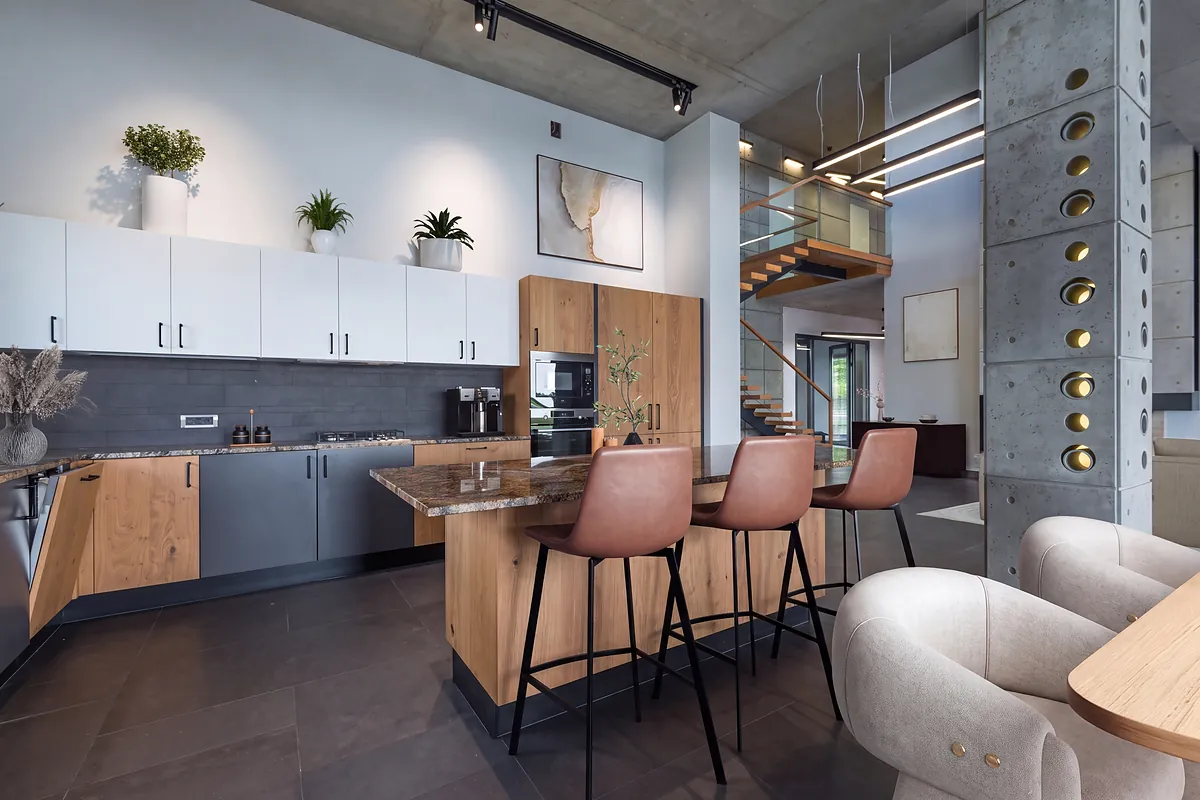
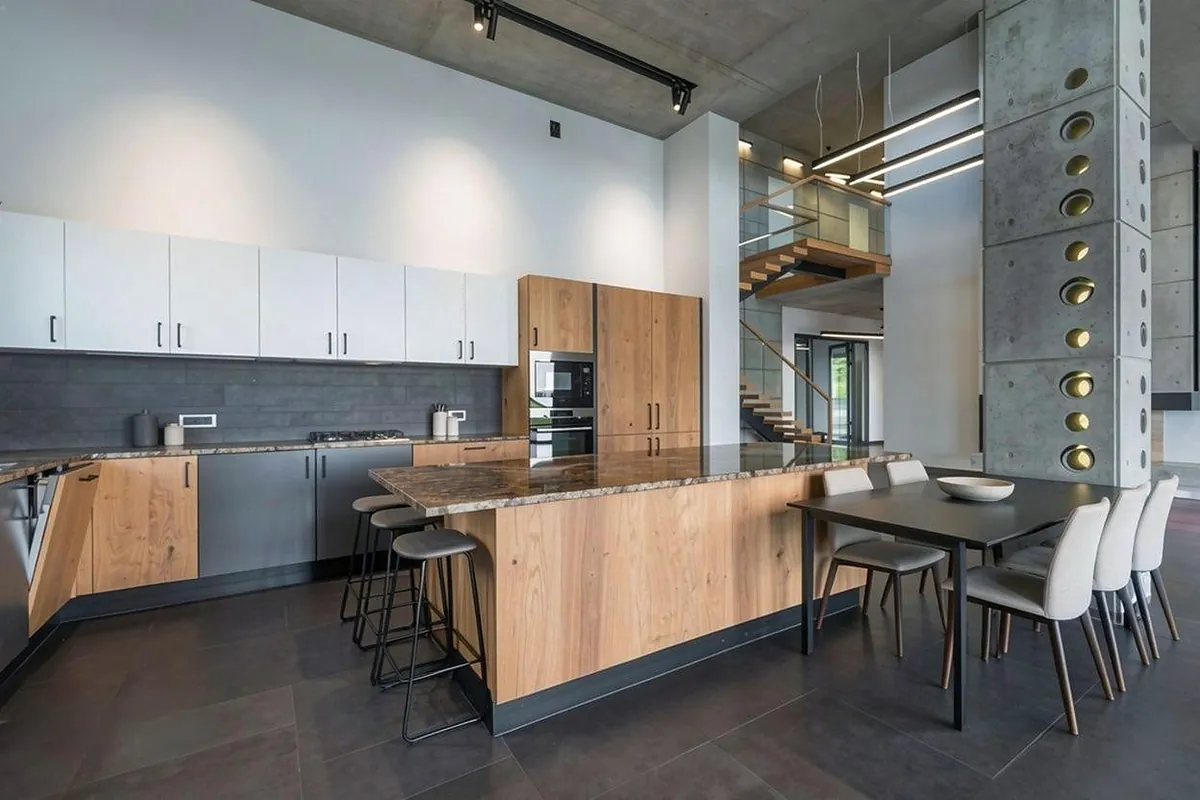
We won’t tell you which looks better. That’s yours to judge.
The real math
It’s tempting to compare these tools on cost per credit. But nobody is really shopping for credits. They’re shopping for the photo at the top of a listing that needs to move a six-figure asset.
Against that, the interesting question isn’t which tool shows the smaller number on its pricing page. It’s whether the image is one you’d put your name on, in front of a seller who is trusting you with the biggest transaction of their year.
Apply Design is priced per image because that’s the thing you actually need: one finished photo, right, on a deadline.
At a glance
| Apply Design | REimagineHome | |
|---|---|---|
| What you actually get | Finished imageDecluttered, staged and revised | One generation. Visualising real products costs two. |
| Revisions | Unlimited & freeYou adjust the room yourself in the drag-and-drop editor. Nothing re-renders. | A credit eachYou re-prompt and the AI generates again |
| Furniture removal | IncludedIn every staged image | An edit you run, out of the same credit bucket |
| Multi-angle consistency | YesOne design replicated across every photo of the room | Not a listed capability |
| How you make changes | Drag-and-drop editor. You move the actual sofa. | Conversational prompts and reference photos |
| 360° panoramas | Supported | Not listed |
| Furniture | Dozens of bundled set designs and models | Real Products discovery, Pro plan and above |
| Turnaround | 10–15 minutes per image | “Faster rendering” on Pro+, standard speed on Essential |
| Commitment | NonePay per image, no subscription | Monthly subscription, credits reset each month |
| Price | $10.50 per auto-staged 2D image at the 20+ coin rate. $7 with the DIY editor. | $19/mo for 30 credits, up to $119/mo for 900 |
| Free trial | First image free | 5 free designs, no card |
Pricing checked September 2026 on both vendors’ public pricing pages.
Why it matters
The core difference
REimagineHome’s Pro plan gives you 200 credits for $36 a month, and one credit is one generation. That’s a genuinely low number, until you look at what a generation is. It’s an attempt. If the sofa lands half-through the wall, that’s a credit. If the client wants it in beige, that’s a credit. If you want to see a real product in the room, that’s two.
Apply Design charges $10.50 for a staged 2D image and then stops charging. Decluttering is in the price. Revisions are in the price. The image you send your client is the image you paid for, not the eleventh try at it.
One number is cheaper per attempt. The other is knowable per listing.
Control
REimagineHome’s editing model is conversational: describe what you want, the system regenerates. That’s a good model when you don’t yet know what you want, and their reference-photo control is a real feature. It’s a slower one when you know exactly what you want and the AI keeps not doing it.
Apply Design gives you a drag-and-drop editor. You don’t ask for the armchair to move left. You move it, as many times as you like, at no extra cost, because you already paid for the image.
It’s worth being precise about what each one actually is. Their revision is a re-roll: spend a credit, the model runs again, and you take what comes back, which might fix the chair and also restyle the rug you’d already signed off on. Ours is direct: nothing regenerates, so nothing you already approved can change underneath you.
If you want a wholly different look rather than a fix, a fresh generation is the right tool, and both products charge for one. But most revisions aren’t a new look. They’re a chair.
One buys another roll of the dice. The other gives you exactly what you placed, in seconds, for nothing.
Decluttering
Most listings aren’t vacant. They’re full of someone else’s furniture. Apply Design removes it automatically as step two of the standard flow: upload, declutter, stage. It’s included in the price rather than billed as an add-on.
On REimagineHome, object removal is one of two dozen listed solutions, and every pass through it is compute drawn from the same monthly bucket you’re staging from.
Consistency
A listing isn’t one photo. It’s four photos of the same living room from four corners, and buyers notice when the couch changes colour between them.
Apply Design replicates a design across every image of a space and lets you reuse a saved look in future projects. REimagineHome doesn’t list multi-angle consistency at all. Its consistency claims are about behaving the same way across sessions, which isn’t the same as keeping your sofa in place between shots.
Commitment
Real estate volume isn’t flat. Some months you list nine properties, some months none. A monthly plan with a monthly reset means a quiet month is credits you paid for and didn’t use, and a busy month on the entry tier is 30 credits against a calendar that needs more.
Apply Design runs on coins: $7 each at 20 or more, $10 for a handful. You spend when you have work, and there’s no plan to keep paying through a slow February.
Quality floor
Read REimagineHome’s Essential tier closely. At $19/month it says, in its own words: no next-gen AI, no high-resolution quality, “legacy tools.” The entry plan isn’t a smaller version of the product. It’s an older one. The current product starts at $36.
Apply Design runs the same engine at every price point. The $7 DIY route isn’t a downgraded model; it’s the same renderer with you doing the layout instead of the AI.
Straight answers
Per attempt, yes. A REimagineHome credit is cents. Per finished image, the comparison changes: our price covers decluttering and unlimited revisions, where theirs bills each regeneration. If you nail every image on the first generation, they’re cheaper. If you work like most people do, you’re comparing one known price against an open-ended one.
No. Apply Design is pay-per-image: coins cost $7 each at 20 or more, $8 from 10 to 19, and $10 for smaller amounts. There’s no monthly plan running in the background during a quiet month.
Adjust it yourself. The drag-and-drop editor lets you move, swap and restyle anything in the room as many times as you like at no extra charge. These are hands-on edits rather than fresh AI renders, which is exactly why they’re instant, free, and can’t disturb the parts of the image you already liked. Beyond that, your first image is free and there’s a 100% money-back guarantee.
10 to 15 minutes per image, including automatic furniture removal. That’s a photoshoot on Tuesday going live on Thursday, not next week.
Yes to both. 360° panoramas are supported at 2.5 coins per image, and existing furniture is removed automatically before staging, so you don’t need a vacant property to start.
Being fair about it
REimagineHome is a design-exploration tool that also stages. Apply Design is a staging tool. Buy the one that matches the job in front of you.
The bottom line
If your work is deciding what a space could be, REimagineHome’s credits are cheap and its conversational flow is pleasant.
If your work is getting a property photographed on Tuesday onto the MLS by Thursday, decluttered, staged, consistent across every angle, and revised until the client stops replying, Apply Design is priced and built for exactly that job.
Rated 4.8 out of 5 by real estate agents, photographers and stagers. First image free, 24/7 premium support, and a 100% money-back guarantee.


