Anyone who uses furniture removal to stage a property knows how hard it is to get perfect results. That's why we tested 5 furniture removal tools for you. We chose the busiest room we could find and ran it through each tool with the exact same instructions — then put all the results here so you can decide which is best for you.
Try it outFull disclosure: this comparison was run by the Apply Design team. Every tool was given the same photo and the same instructions, and the results below are exactly what each one produced.
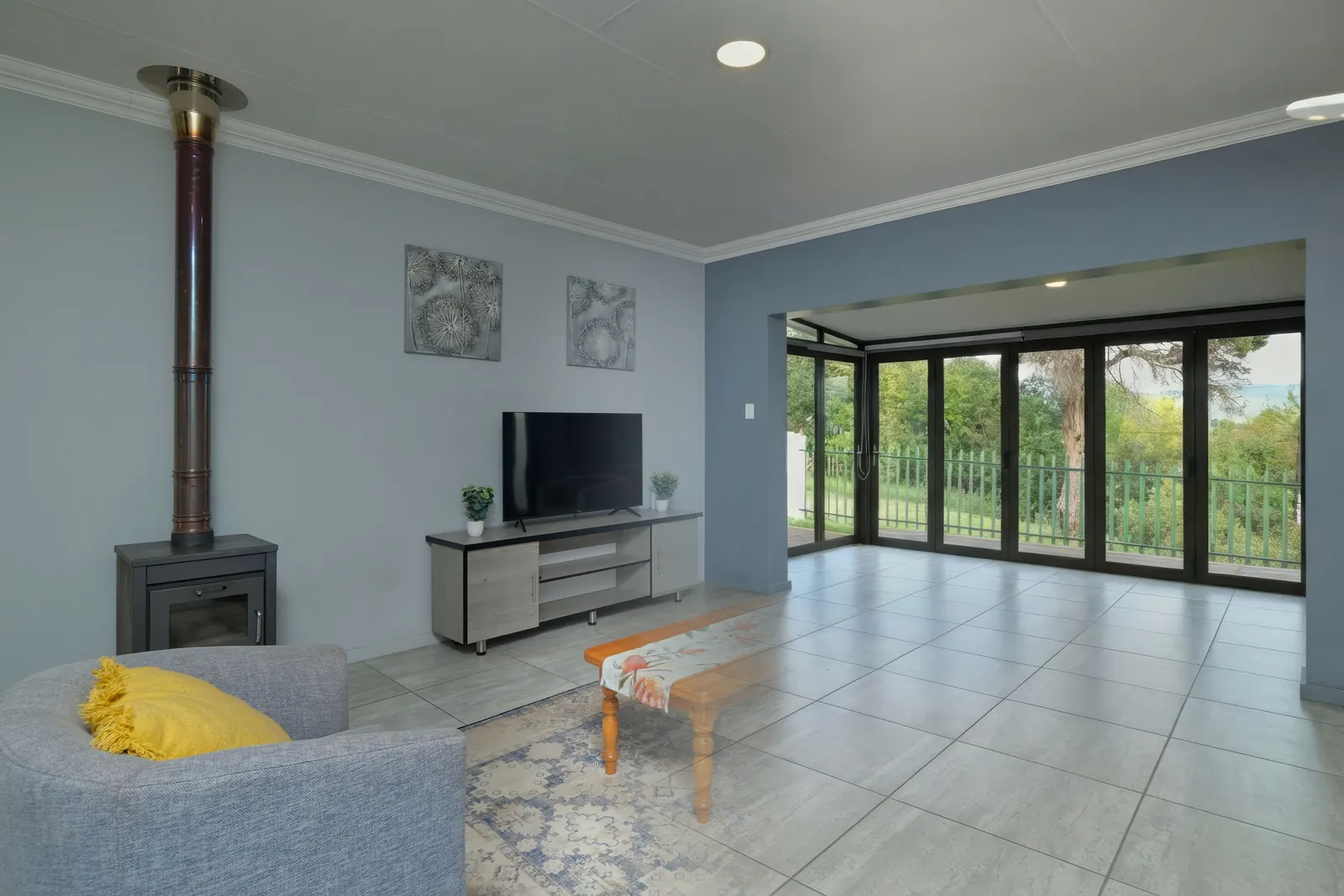
We started with a heavily furnished living room — recliner sofas, a coffee table, layered ornate rugs, a tall heater, floor cushions, framed wall tapestries, and a display cabinet. A genuinely hard room to empty.

Before — the original furnished room, run through every tool.
Ranked best to weakest based on how completely and cleanly each cleared the space.
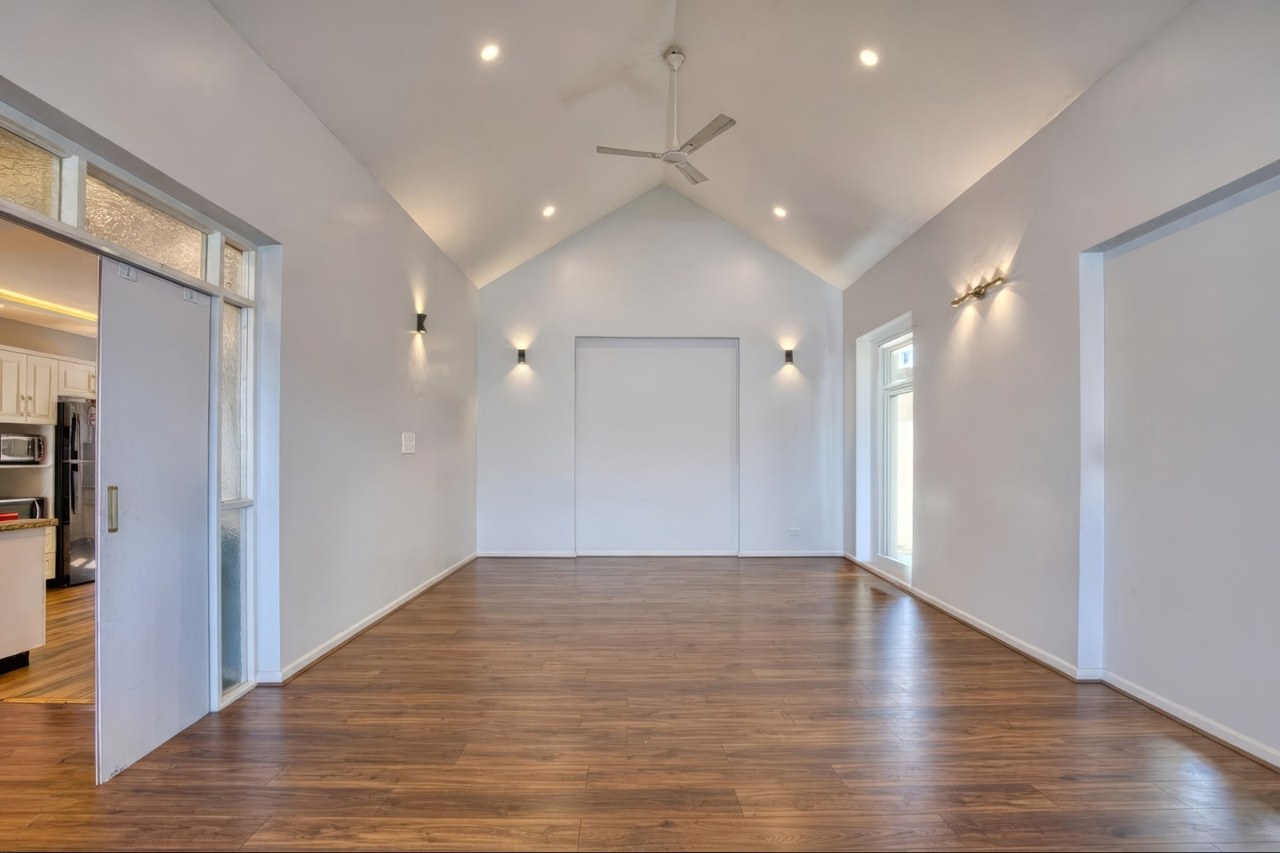
Fully cleared. Furniture, rugs, heater, cushions, cabinet, wall tapestries, and even the curtains were all removed, leaving a completely bare room with the floor rebuilt naturally — no leftover items or artifacts. Removal is automatic (or manual if you prefer) and finished in a few minutes. It's included with staging, so you can empty a room and then restage it as often as you like, or auto-stage it.
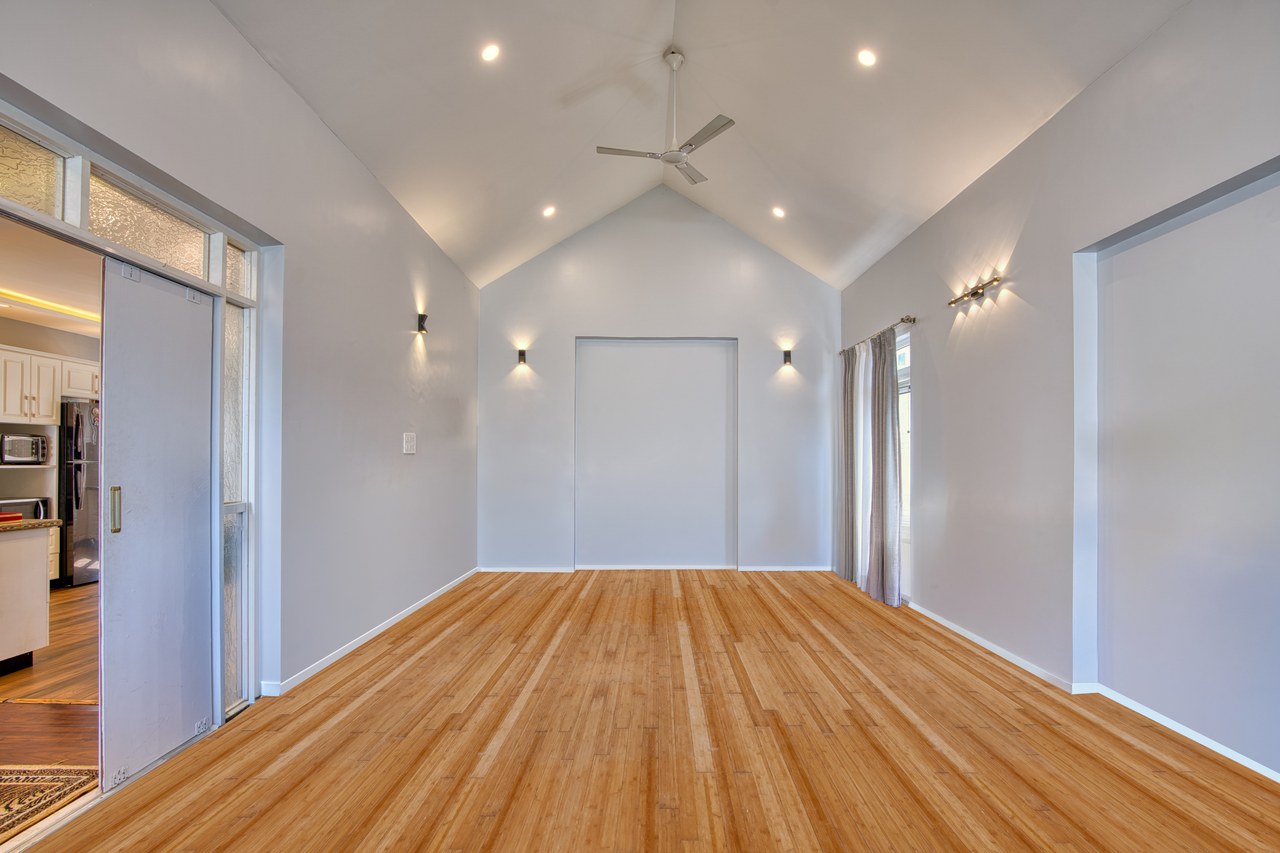
Human-edited, but not complete. BoxBrownie asks you to select what to remove — we did, and it still left a rug in the corner and kept the curtains. For a human-edited service, we expected a fully cleared room. From $8 per image (pay-as-you-go).
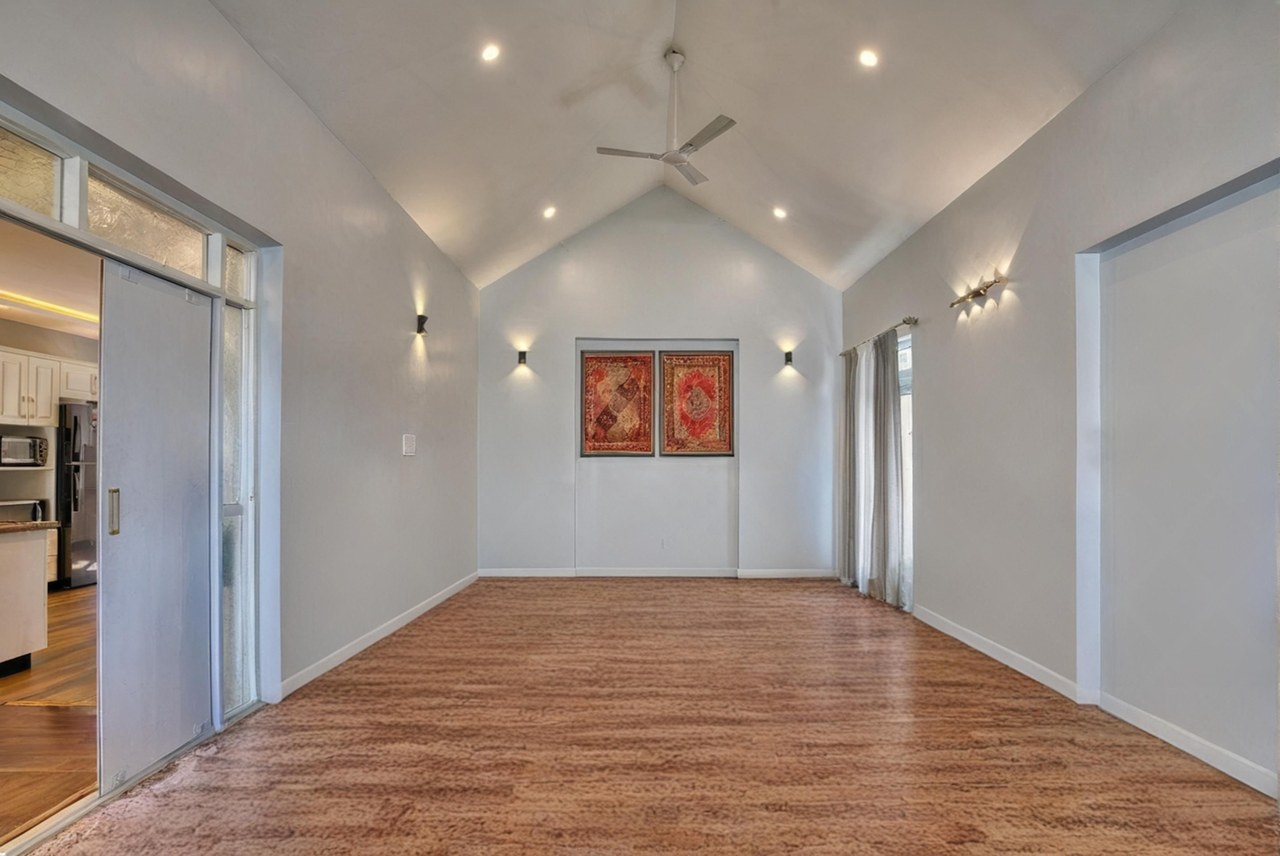
Fast, but rough. It removed the seating yet left the framed wall pieces in place, and the floor came back as an odd, blotchy texture rather than a clean surface. Usable as a quick pass, not listing-ready. Requires a monthly subscription.
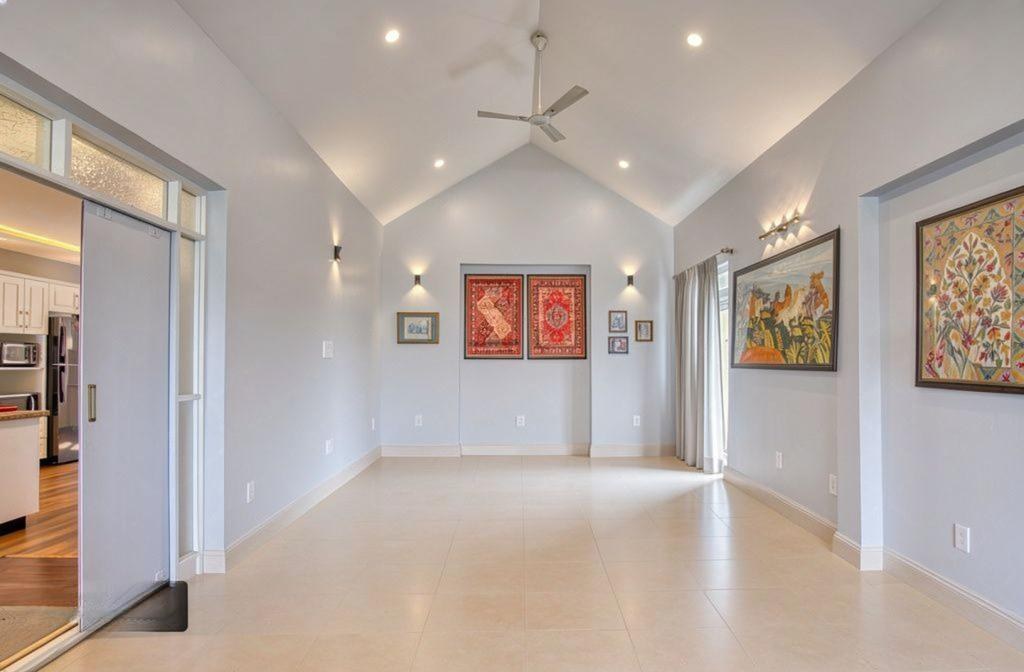
Clean floor, decorated walls. It cleared the floor nicely to tile, but left every piece of wall art up — both far-wall pieces and the two large tapestries on the right — so the room still reads as decorated. Requires a monthly subscription.

The weakest result. It removed the seating but left all the ornate rugs covering the floor and all the wall art in place, so the space still looks full. Quick, but far from a cleared room. Requires a monthly subscription.
Every tool has a moment where it's the right pick. Here's how to choose based on what you actually need.
These give you results in seconds, so they're handy when you just need something fast. Just know that fast is what you get — the quick AI removals tend to leave items behind, so expect their usual rough-and-ready quality rather than a fully cleared room.
Go here if all you want is furniture removal. The results are nice and it does that job well. But it only removes — if you then want the room staged, that's more money on top.
You pay together with the staging, and removal is included. So if you want to stage the room as well — and want the cleanest, most realistic result — this is the one that gets you closest to real.
Confirm current pricing on each provider's site — plans change often.
| Tool | Removal style | Pricing model |
|---|---|---|
| Apply Design | Automatic | From ~$7–$10.50 per image (coins), included with staging — no separate removal fee, no subscription. |
| BoxBrownie | Manual (you select) | Pay per image, from $8 — staging not included |
| AI HomeDesign | Automatic | Monthly subscription, limited credits |
| REimagineHome | Automatic | Monthly subscription, limited credits |
| Spacely | Automatic | Monthly subscription, limited credits |
Some do, some don't. Apply Design, Spacely, REimagineHome, and AI HomeDesign detect and remove furniture automatically. BoxBrownie asks you to manually select each item you want removed.
No. In our test the fastest tools produced the weakest results. Apply Design took a few minutes but delivered the cleanest, most complete empty room.
BoxBrownie starts at $8 per image (pay-as-you-go). Most AI tools require a monthly subscription. With Apply Design, removal is included as part of staging rather than a separate charge.
In our hands-on test, Apply Design gave the best combination of complete removal, quality, speed, and value.