Apply Design is self-serve virtual staging for real estate. You upload a listing photo, choose a room set and style, and the staged image comes back in minutes, from about $7 a photo, with your first photo free.
| Detail | Apply Design |
|---|---|
| Price per staged photo | From $7. The per-photo price drops as your volume goes up. |
| Cost in coins | 1.5 coins to stage a 2D photo, 2.5 coins to stage a 360° panorama. |
| Turnaround | MinutesMost photos are staged in a few minutes, delivered in the app and by email. No editor queue, no overnight wait. |
| Free trial | Your first photo is free. No credit card needed to try it. |
| Furniture removal | Included. Clear the existing furniture and re-stage the empty room in the same upload, not a paid add-on. |
| Rooms supported | Living room, dining room, bedroom, kids’ bedroom, kitchen, bathroom, hallway, basement, sunroom, home office and exteriors. |
| Design styles | Modern, Scandinavian, Traditional, Farmhouse, Coastal, Industrial and more, chosen per photo. |
| Revisions | Unlimited hands-on edits in the drag-and-drop editor: move, swap or restyle any piece yourself, instantly and at no extra cost. Staging the room again from scratch costs coins again (1.5 for 2D, 2.5 for 360°). |
| 360° staging | Yes. Stage a full panorama for a virtual tour, 2.5 coins per image. |
| Multi-angle consistency | Stage several photos of the same room and keep the furniture consistent between angles. |
| Who uses it | Agents and photographers stage 10,000+ properties a month with Apply Design, including at Keller Williams, RE/MAX, Compass and Berkshire Hathaway HomeServices. |
| Guarantee | 100% money-back guarantee. |
Pricing and features as listed on applydesign.io. Verify current details in the app before relying on them.
Every image below came out of Apply Design. Same camera position, same light, same room. The furniture is the only thing that changed.
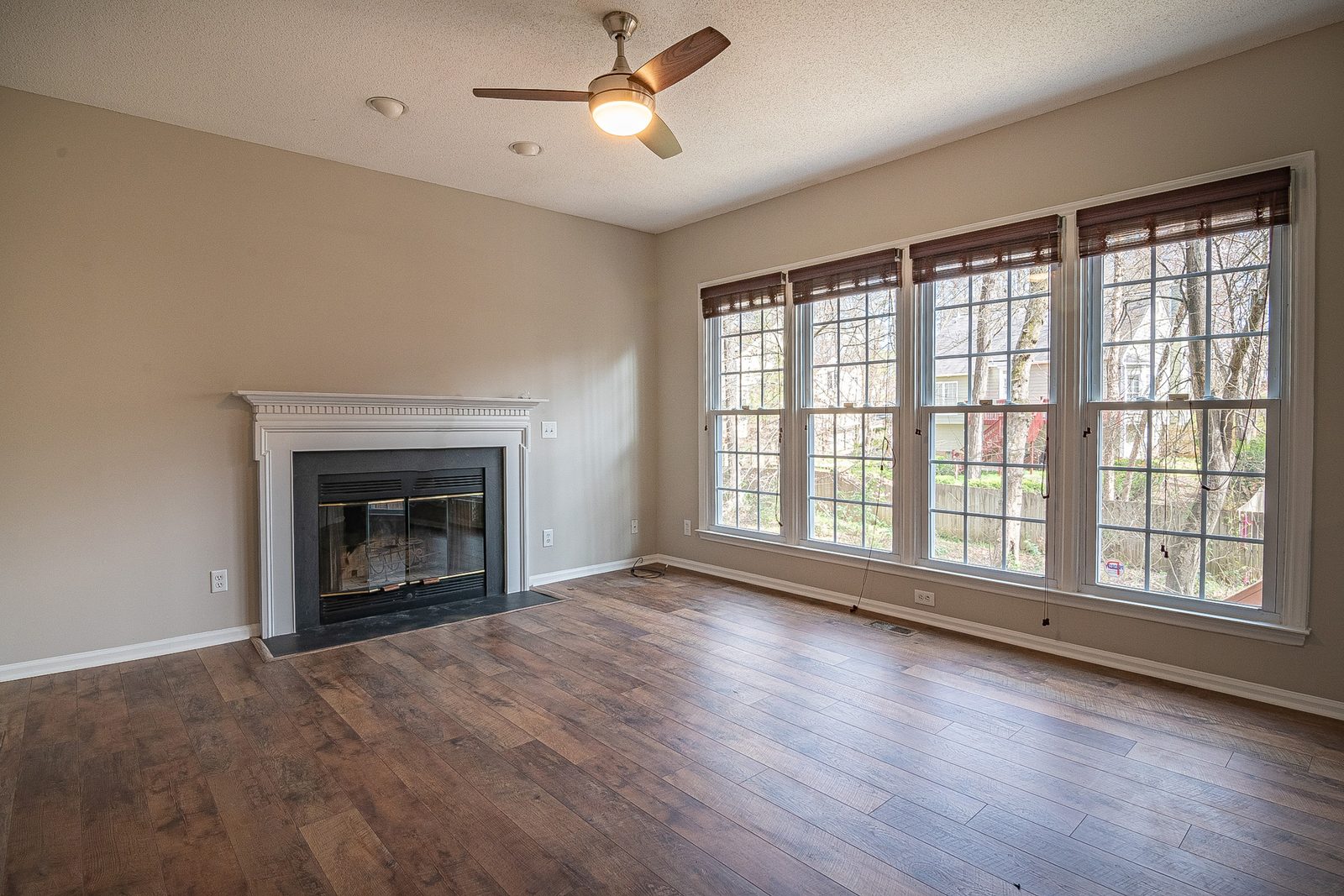
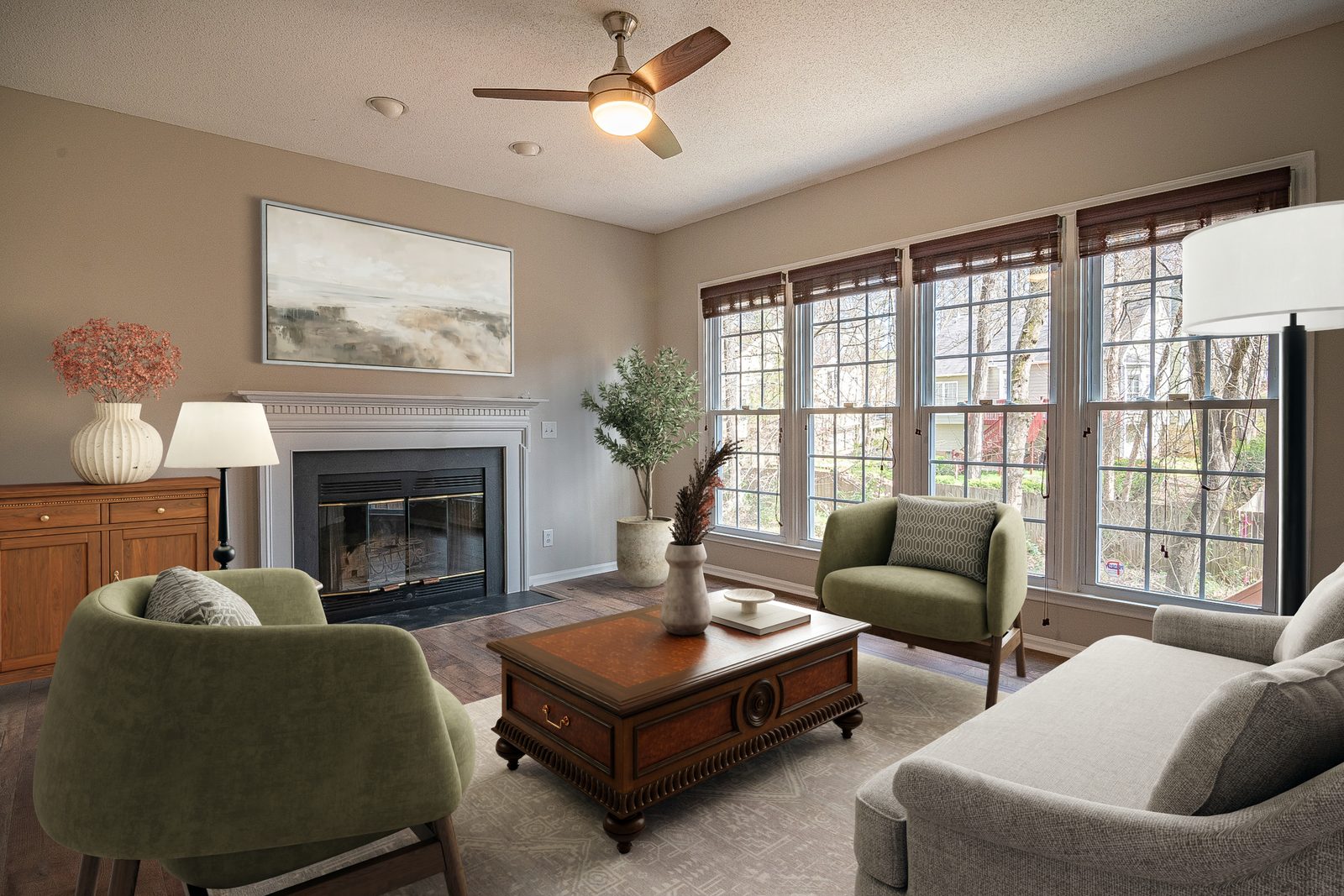
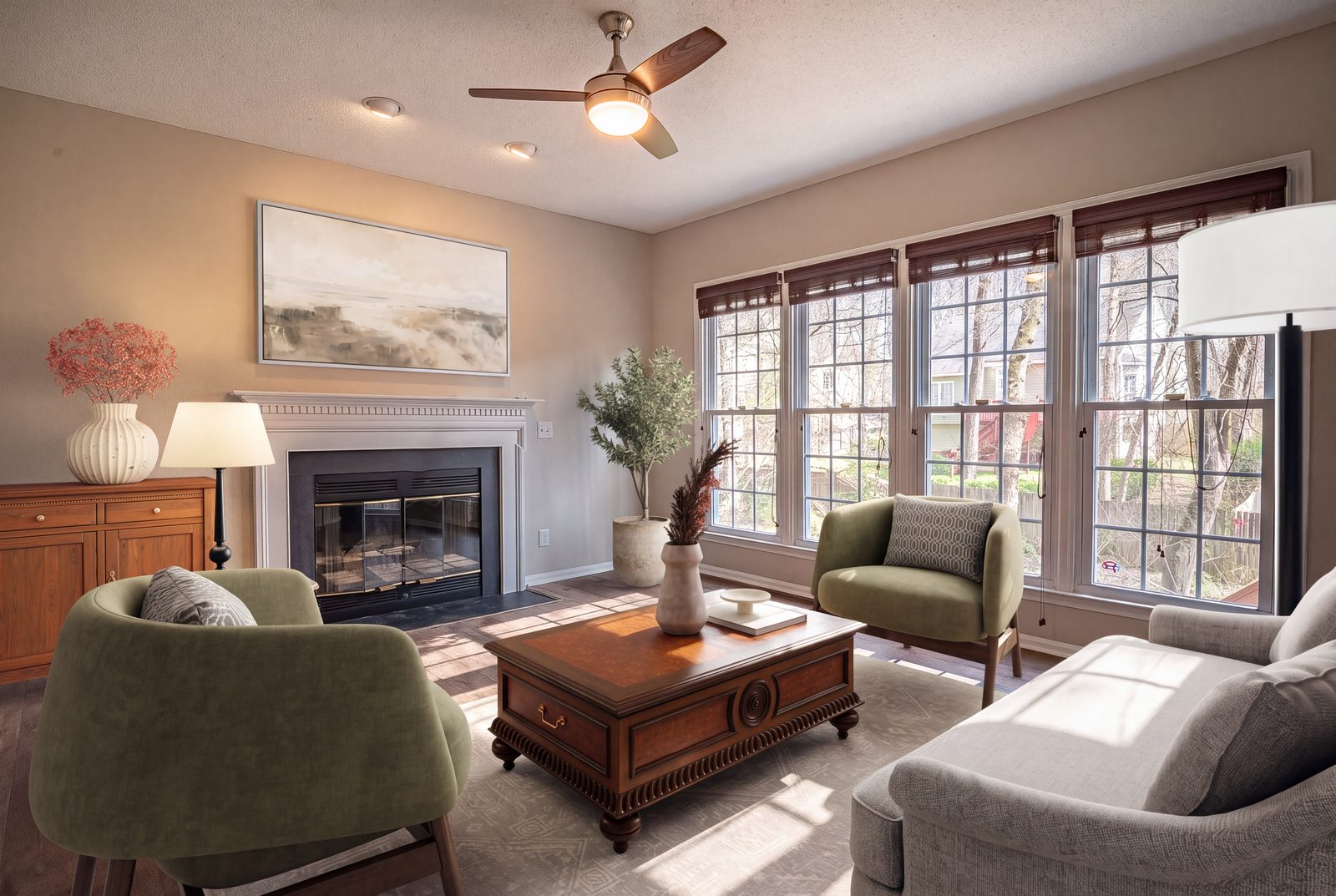
A real listing photo staged with Apply Design. The fireplace, windows, floor and ceiling fan are untouched. Only furniture and decor were added.
Run a staged photo through AI enhancement for a cleaner, brighter, sharper final image.
Apply Design stages full 360° panoramas for virtual tours, not just flat photos. Both clips below are one full turn of the same room, taken from the 360° tour.
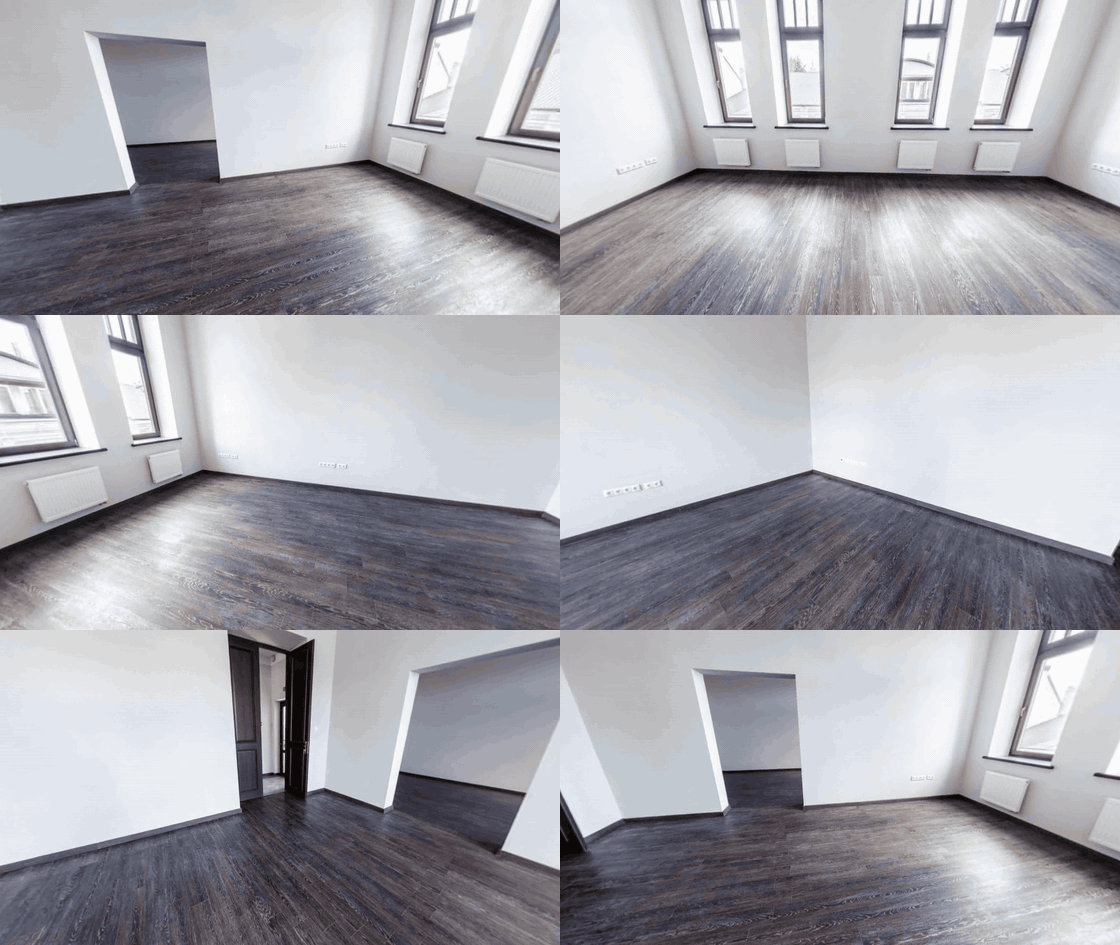
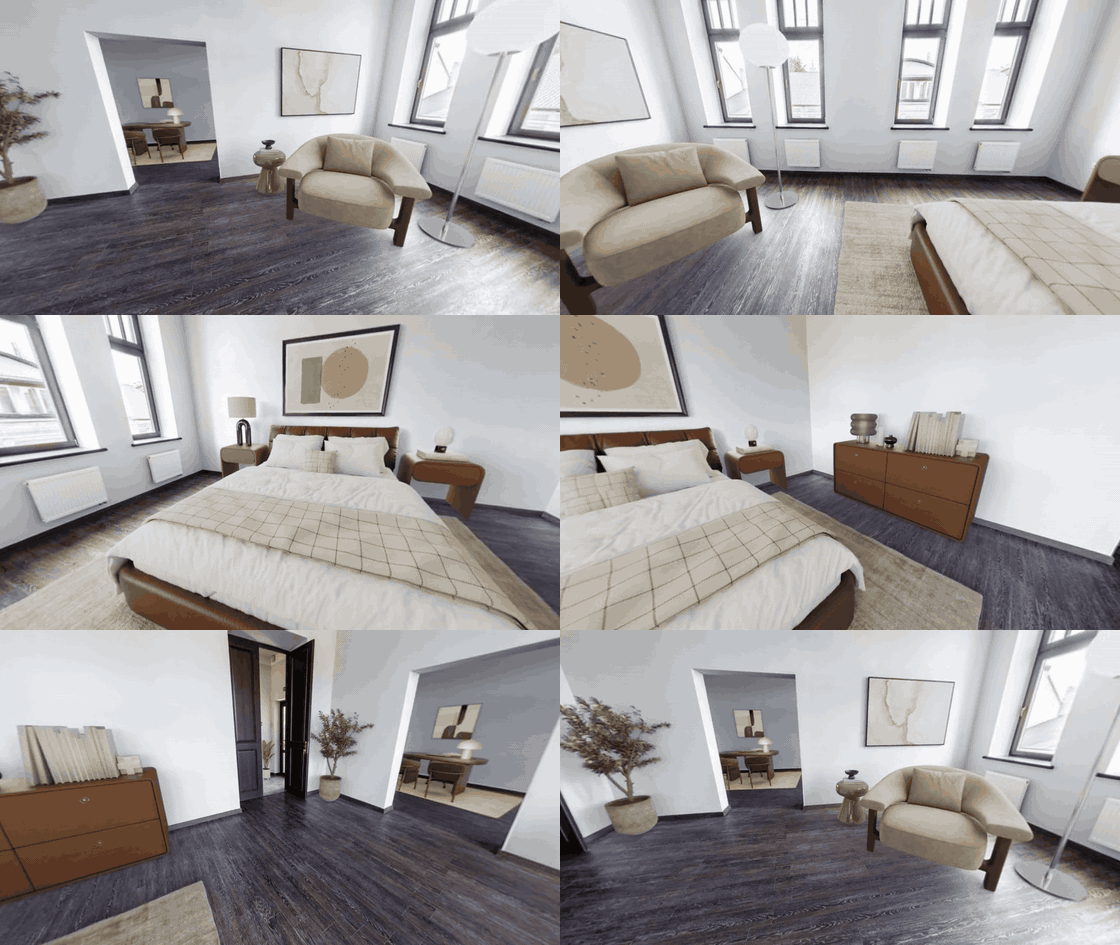
One full turn of the room, empty and staged. 360° staging costs 2.5 coins per panorama and comes back in minutes, the same as a 2D photo.
There are three common ways to furnish an empty listing photo. They differ in who does the work, what a change costs you, and how long you wait.
Apply Design
Apply Design furnishes the room, then the drag-and-drop editor hands the room back to you. Nudge a sofa, swap a rug or change a lamp: instantly, free, as often as you like. What you place is what you download.
Done-for-you studios
Full-service providers have people stage the photo for you. The output is polished, but you brief a queue instead of editing directly, decluttering is usually a $4–$8 add-on, and a revision means another round trip. A good fit if you stage occasionally and want it fully handled.
Prompt-only AI tools
Tools where your only control is the prompt charge a credit per revision, because their revision is a fresh AI render. That re-rolls the whole room, including the parts your client already approved.
A genuinely different look needs a fresh generation on any product. The difference is whether small fixes cost you a credit and a re-roll, or nothing at all.
Full side-by-side breakdowns, including the same room staged by each tool.
The same photos you stage here can become the listing video and the property’s own website, without moving to another tool or briefing anyone.
Property video
Add 3–15 photos, your own or ones you just staged, and Apply Design builds a polished listing video with narration, captions and music. Auto-written script in 80+ languages, six voices, and a branded closing card. Vertical 9:16 for Reels, TikTok and Shorts, or 16:9 for your website. Ready in minutes.
Property websites
Build a dedicated website for the property from the photos and details you already have, ready to share with buyers and link from the listing.
Apply Design virtual staging starts at about $7 per photo, and the per-photo cost falls as you stage more. In coins, staging a 2D photo costs 1.5 coins and a 360° panorama costs 2.5 coins. Full-service staging studios that use human editors typically charge around $24 per photo, plus $4–$8 for furniture removal.
A few minutes. Apply Design stages photos automatically, so the result appears in the app and arrives by email minutes after you upload. Done-for-you studios that stage by hand quote up to 48 hours.
Upload the photo to Apply Design, pick a room set and a design style, and it furnishes the room photorealistically in minutes. Then download the staged image, or open the drag-and-drop editor to adjust anything first.
Yes, and it’s included. You can clear the current furniture from an occupied room and let Apply Design furnish the empty space in the same upload. There’s no separate decluttering fee.
Editing a staged photo in Apply Design’s drag-and-drop editor is unlimited and free: move, swap, remove or restyle individual pieces of furniture yourself, and the change is instant. That’s different from re-generating the room from scratch, which is a new generation and costs coins again (1.5 for 2D, 2.5 for 360°). So dialling in a result you mostly like is free; asking for a genuinely different look is a fresh generation.
No. Apply Design chooses and places the furniture for you. You pick a room set and a style. The editor is there if you want to change something, not a step you have to learn.
Almost any space in a home: living room, dining room, bedroom, kids’ bedroom, kitchen, bathroom, hallway, basement, sunroom, home office and exteriors. Styles include Modern, Scandinavian, Traditional, Farmhouse, Coastal and Industrial, and you choose per photo so the staging fits the listing.
Yes. Apply Design stages full 360° panoramas for virtual tours at 2.5 coins per image, so a tour of an empty property can be furnished the same way single photos are.
Yes. You can stage multiple angles of one room and keep the furniture consistent between them, so a listing gallery looks like one space rather than several different ones.
Generally yes, provided you disclose it. Most MLSs and real estate boards allow virtually staged photos as long as the listing states that the images are virtually staged, and they prohibit edits that misrepresent the property itself: adding furniture is fine, removing a structural flaw is not. Rules vary by MLS, so check your local requirements before you publish.
Yes. Alongside staging, Apply Design turns listing photos into a narrated property video. Three to 15 photos become a video with an auto-written script in 80+ languages, a voice of your choice, captions and music, in vertical or widescreen. It can also build a website for the property from the same photos and details. Furniture removal, AI enhancement and 360° staging are part of the same account.
Yes. Your first photo is free, with no credit card required, so you can stage a real listing photo and judge the result before you buy coins.


