Apply Design vs. VirtualStaging.com
Comparing virtual staging tools? Apply Design is a faster, more affordable alternative to VirtualStaging.com. Upload a photo and get a photorealistic, fully editable staged room back in minutes, for roughly $7 instead of $24, with decluttering and AI enhancement built in, simple coin pricing, and your first photo free.
First photo free · Decluttering included · Results in minutes
At a glance
A quick side-by-side before you commit to either one.
| Apply Design | VirtualStaging.com | |
|---|---|---|
| Price per photo (staging) | From $7 | $24, or $19.20 in bulk |
| Turnaround | Minutes | 4–24 hours |
| Decluttering / item removal | Included | Add-onCharged separately |
| How you pay | One coin balance | Per photo, plus add-ons |
| Free trial | First photo free | NonePaid from the first photo |
| Edit it yourself | YesSelf-service or auto design | NoDone-for-you only |
| Editable, exportable files | YesPlus AI enhancement | NoFinal image only |
| Staging formats | Photos, 360° and video | Photos and 360°, no video |
| Revisions | On the spot | Unlimited, but queued |
| Customer support | 24/7 | Business hours |
Comparison based on pricing and features publicly listed on applydesign.io and virtualstaging.com as of June 2026, plus hands-on testing. Verify current details before relying on them.
Why it matters
The differences agents tend to notice first.
Speed
Because the staging is generated by AI, a finished room lands in your inbox within minutes. VirtualStaging.com routes each order through human designers, so you’re typically waiting four hours to a full day for the first version.
Cost
Around $7 per photo against their $24, with decluttering folded into the price rather than billed separately. There’s no growing checklist of paid add-ons, so the number you see is close to the number you pay.
Simplicity
Top up a single coin balance, upload, and stage, then fine-tune furniture and styles yourself in the editor. No confusing order forms, no separate line items, and no back-and-forth just to make a small change.
Support
Apply Design’s customer support is available 24/7, so help is there whenever you’re working. VirtualStaging.com operates on business hours. We reached out and were told the team would reply the next day, so evenings and weekends mean waiting.
Same room, same photo
Real rooms staged by each tool. Switch between them and look closely at the detail, lighting, and realism.
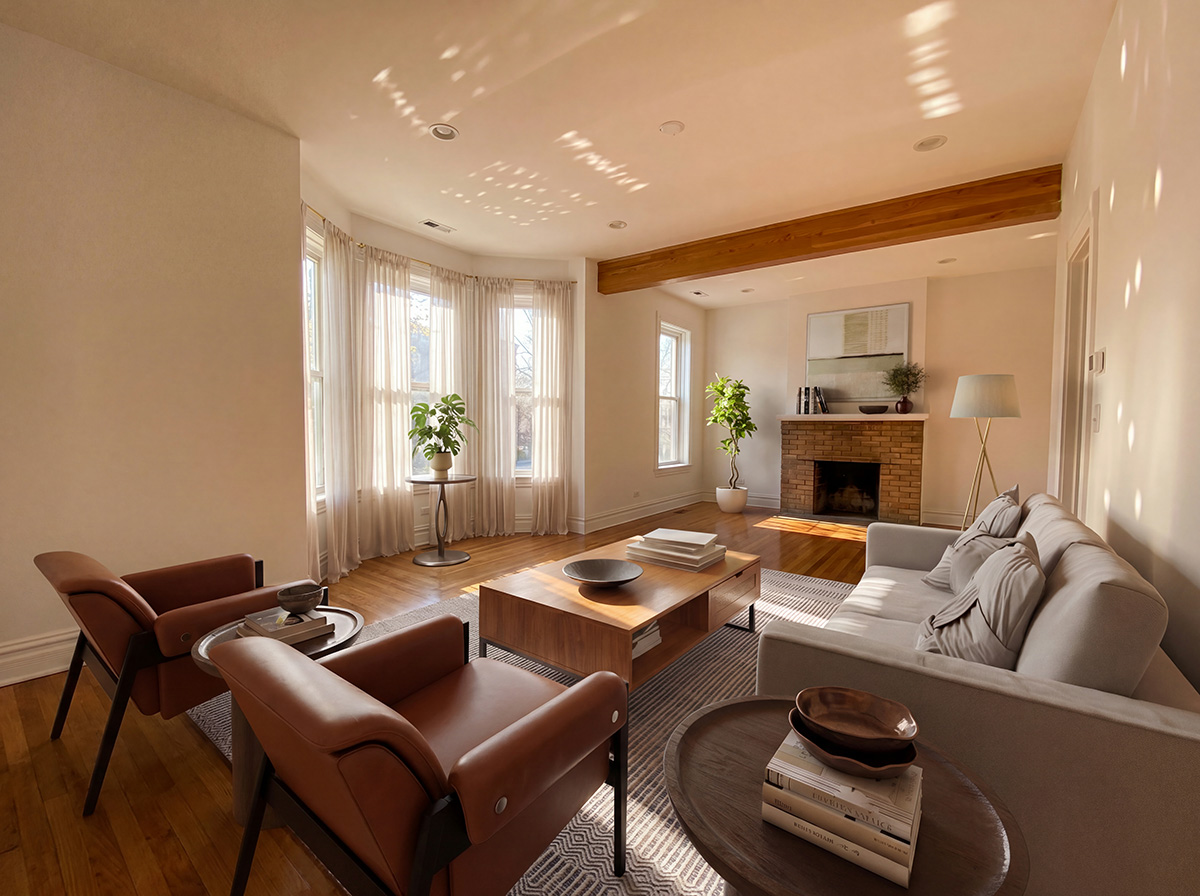
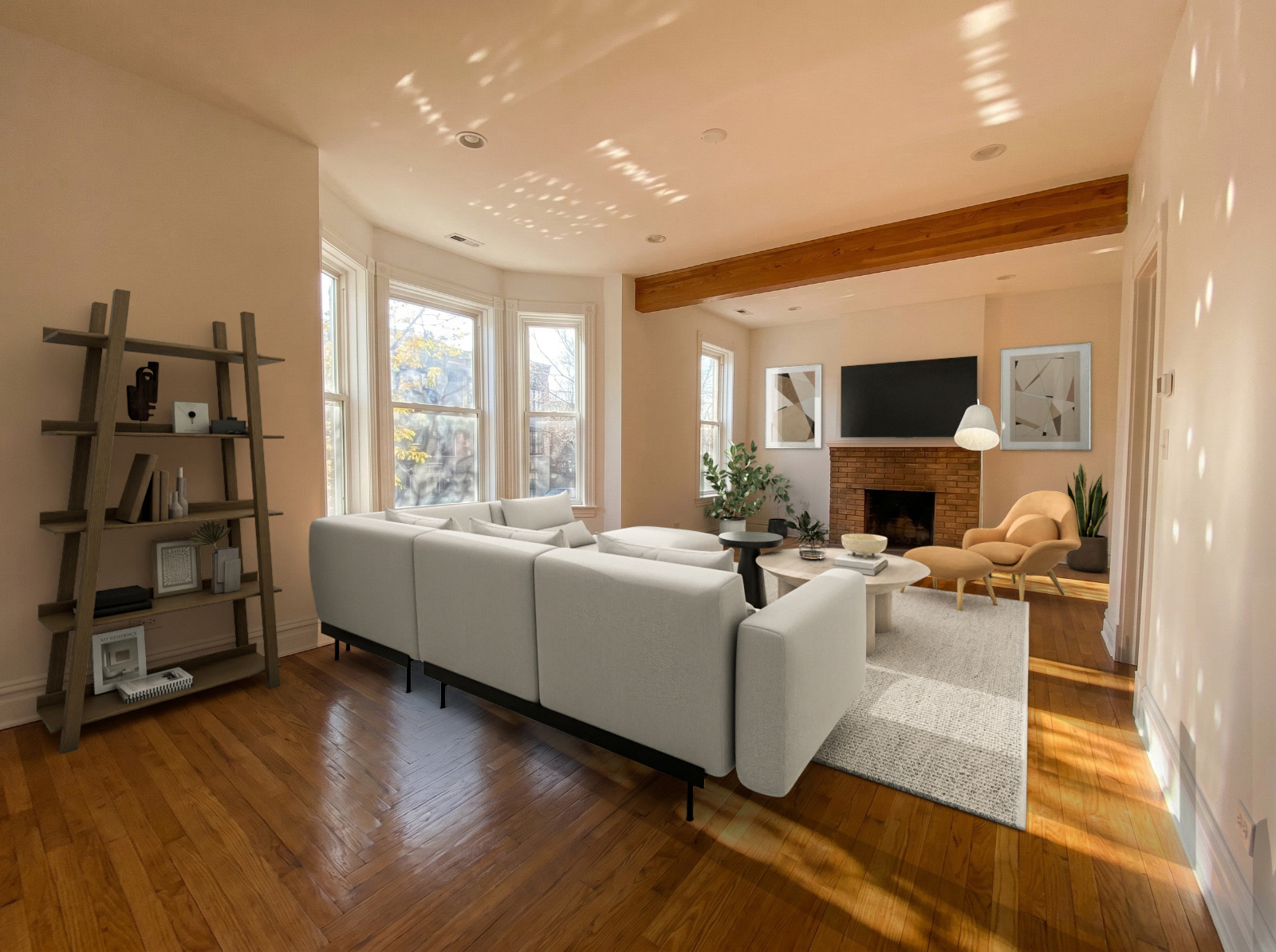
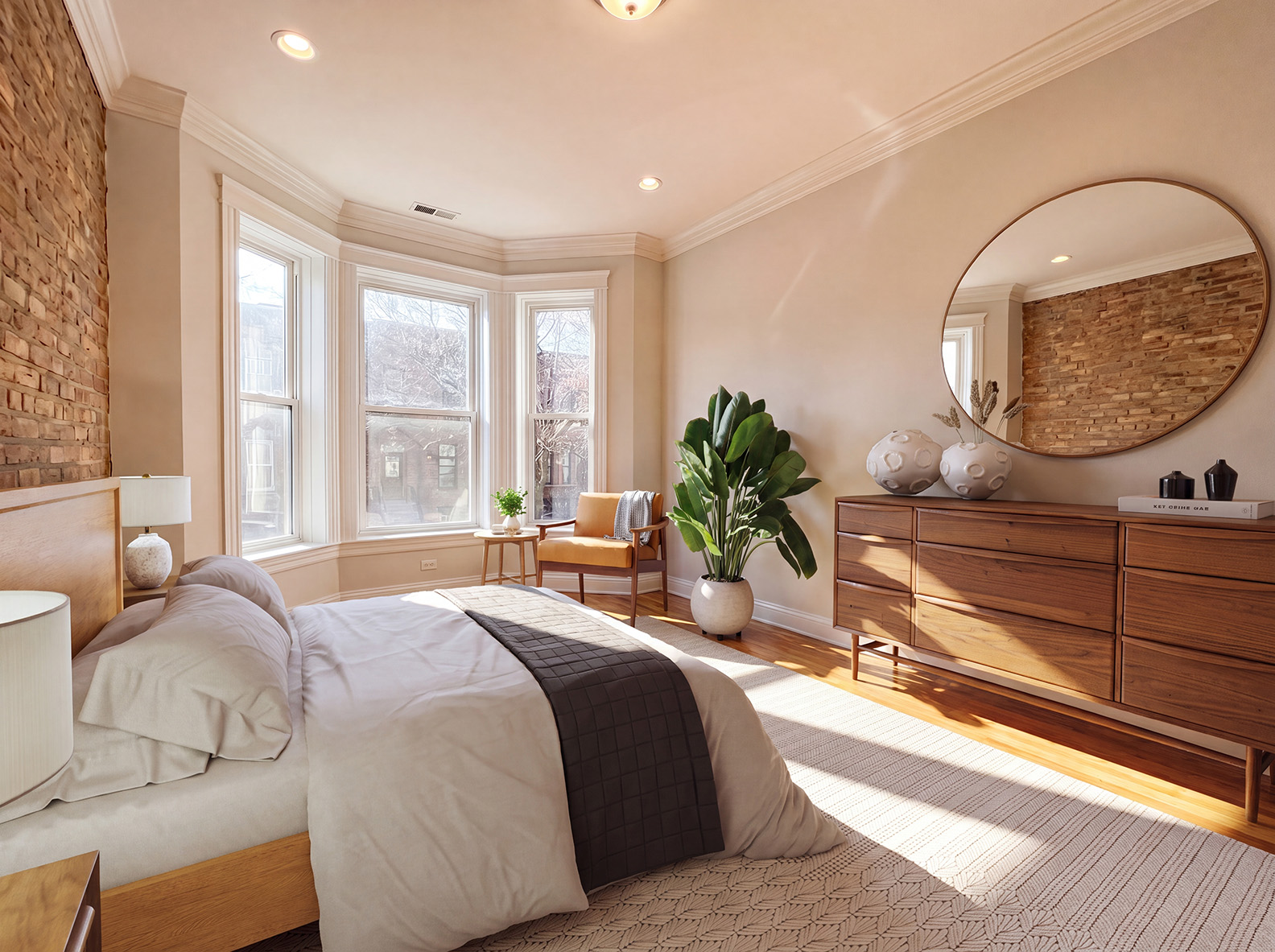
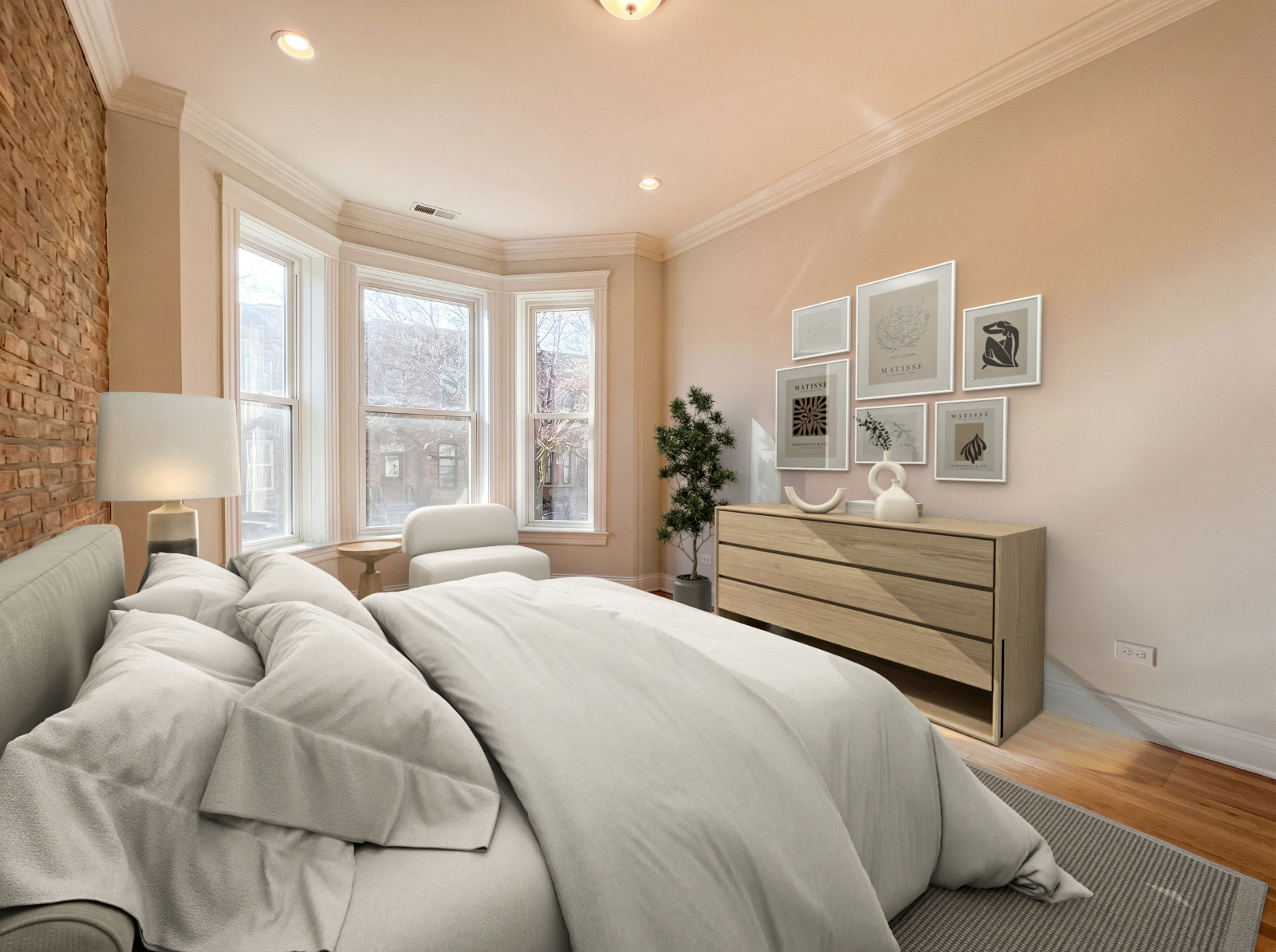
Each pair shows the same room staged by each tool.
| Result attribute | Apply Design | VirtualStaging.com |
|---|---|---|
| Time to first result | In minutes | 4 to 24 hours |
| Downloadable, separately editable files | Yes | No. Finished image only. |
| Enhance image quality with AI | Yes, with advanced AI enhancement tools. 1 coin covers 10 enhancements. | Paid add-on at $1.20 per photo |
| Dial-in revisions | Instant and unlimited | Unlimited, through the editor queue |
The bottom line
If you stage listings often, Apply Design is the quicker, cheaper, and easier option day to day: photorealistic rooms in minutes, about $7 a photo instead of $24, decluttering included, one simple coin balance instead of a long add-on list, edits you can make yourself, and support that’s there 24/7.
VirtualStaging.com offers a broad menu of done-for-you services, including renovations, twilight edits, and floor plans, so it can make sense if you want those handled for you and don’t mind human-editor timelines and business-hours support. Both tools offer 360° virtual staging, but Apply Design also turns listings into property video, which VirtualStaging.com doesn’t. For everyday staging where speed, price, and simplicity matter most, Apply Design is the stronger pick, and the first photo costs you nothing.


