Upload a photo of any piece of furniture or object and Apply Design turns it into a 3D model — then places it in your property, rendered photorealistically with matching lighting, shadows, and perspective.
Try it out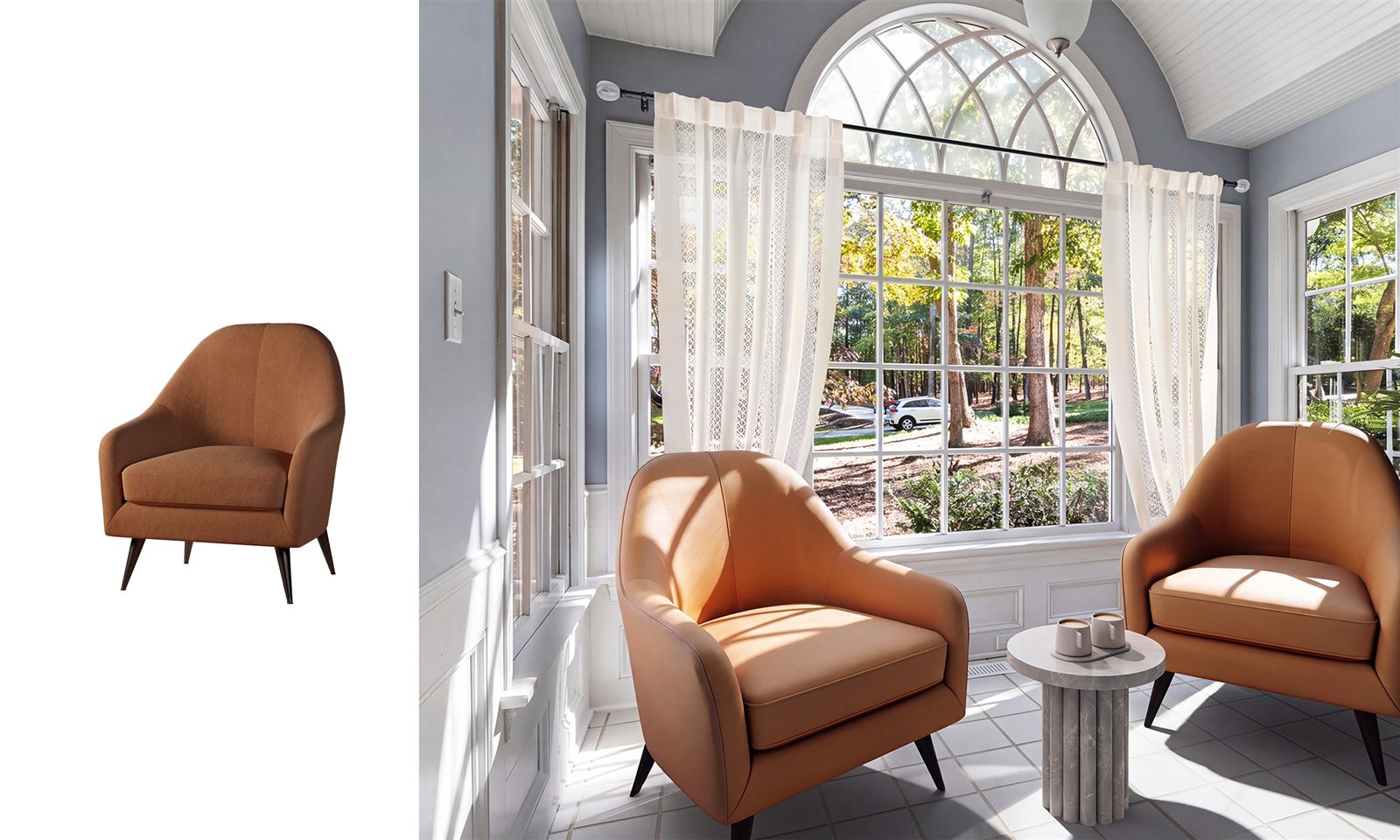 BeforeAfter
A photo of a real piece, turned into a 3D model and placed in the room with realistic light and shadow.
Learn how →Get the exact piece you have in mind — created from a photo, not picked from a catalog.
Add a picture of the furniture or object you want to use.
Apply Design converts your photo into a 3D model of that exact piece.
Drop the model into your room, rendered photorealistically with matching light, shadow, and perspective.
It's a 3D version of a real piece, created from a photo you upload — so you can place that exact item into your property photos.
Regular staging fills the room from a furniture catalog. Custom 3D models start from your own photo of a specific piece, so you get that exact item instead of a lookalike.
Yes. The model is placed with matching lighting, shadows, scale, and perspective so it blends naturally into the room.


