Virtual staging
The term “AI interior design tool” covers four very different kinds of software, and only one of them is designed to furnish a listing photo. This guide explains what each one does, what it costs, and how to pick the right one for what you are trying to achieve.
For real estate agents, property marketers and homeowners, the right tool depends on what you are trying to achieve.
These four tools look similar in search results, and they are often recommended interchangeably. They are not interchangeable. A tool that restyles a kitchen for a renovation mood board does that job well, but it will not give you an image you can put on a listing. Here is what each one is actually built to do.
| The tool | What it does | Best for | What you pay |
|---|---|---|---|
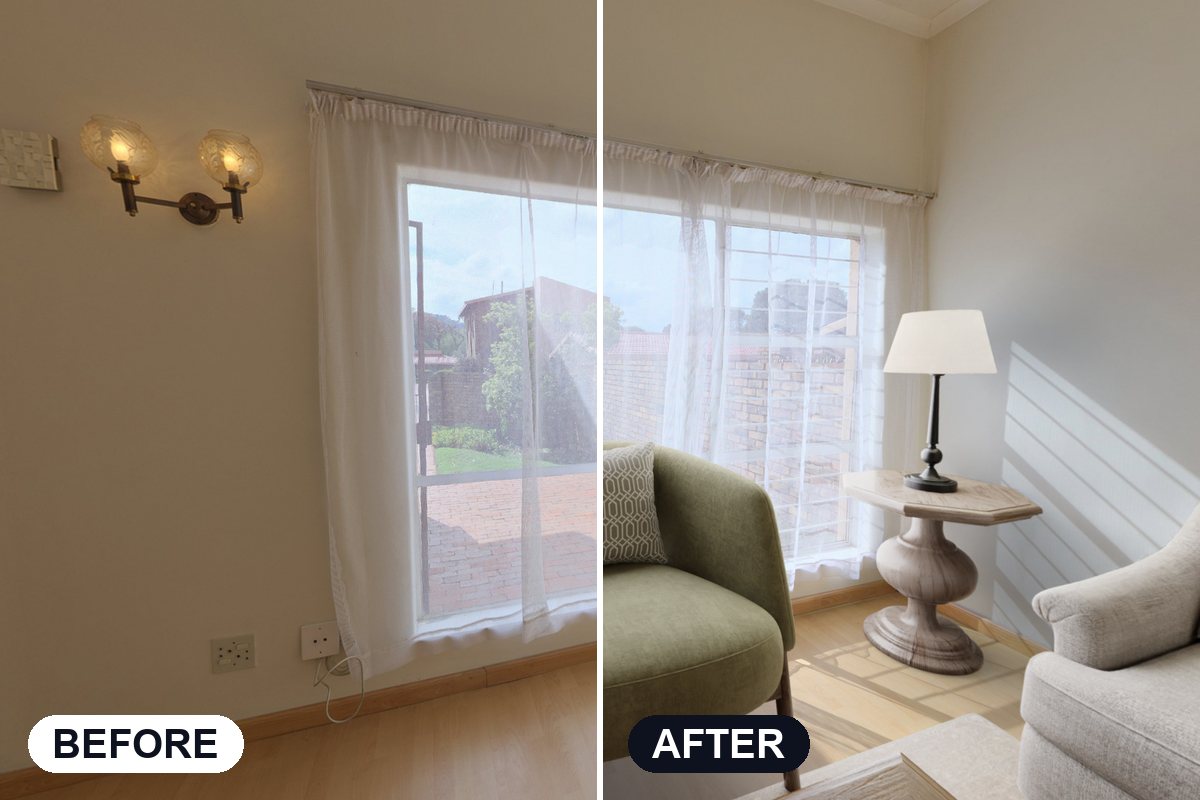
| Virtual staging | You give it a photo of a real room and it adds furniture. The walls, windows, floor and lighting stay exactly as your camera captured them, so the photo remains an accurate picture of the property. | Agents and photographers preparing a listing | Under $1 to $24 per photo |
| AI room redesign | Starts from a room that is already furnished. You describe a different look and it shows you that same space restyled. It answers what a room could become, rather than showing what it currently is. | Homeowners, renovators and interior designers | A monthly plan, or credits spent per image |
| CAD and 3D design software | You build the room yourself from a floor plan, choose the materials and finishes, then render it. You control every detail, which also means nothing is done for you. | Designers, architects and new builds | A monthly licence, plus a good deal of your time |
| Consumer room-design apps | Mood boards, paint colours, furniture suggestions and a render to help you picture the result. Easy and enjoyable to use, but not designed to produce images that pass as photographs. | Anyone decorating their own home | Usually free, with small in-app purchases |
If the image is going on a listing, you want the first row. The other three solve different problems.
Photorealistic is a technical standard, not a compliment. A staged photo meets it when four things are true: the furniture sits on the real floor, the shadows follow the light that is already in the room, the perspective matches the camera that took the shot, and nothing structural has been changed.
That last point is a legal one as well as a visual one. Adding a sofa is staging. Removing a support column or a crack in the ceiling misrepresents the property, and most real estate boards treat it that way.
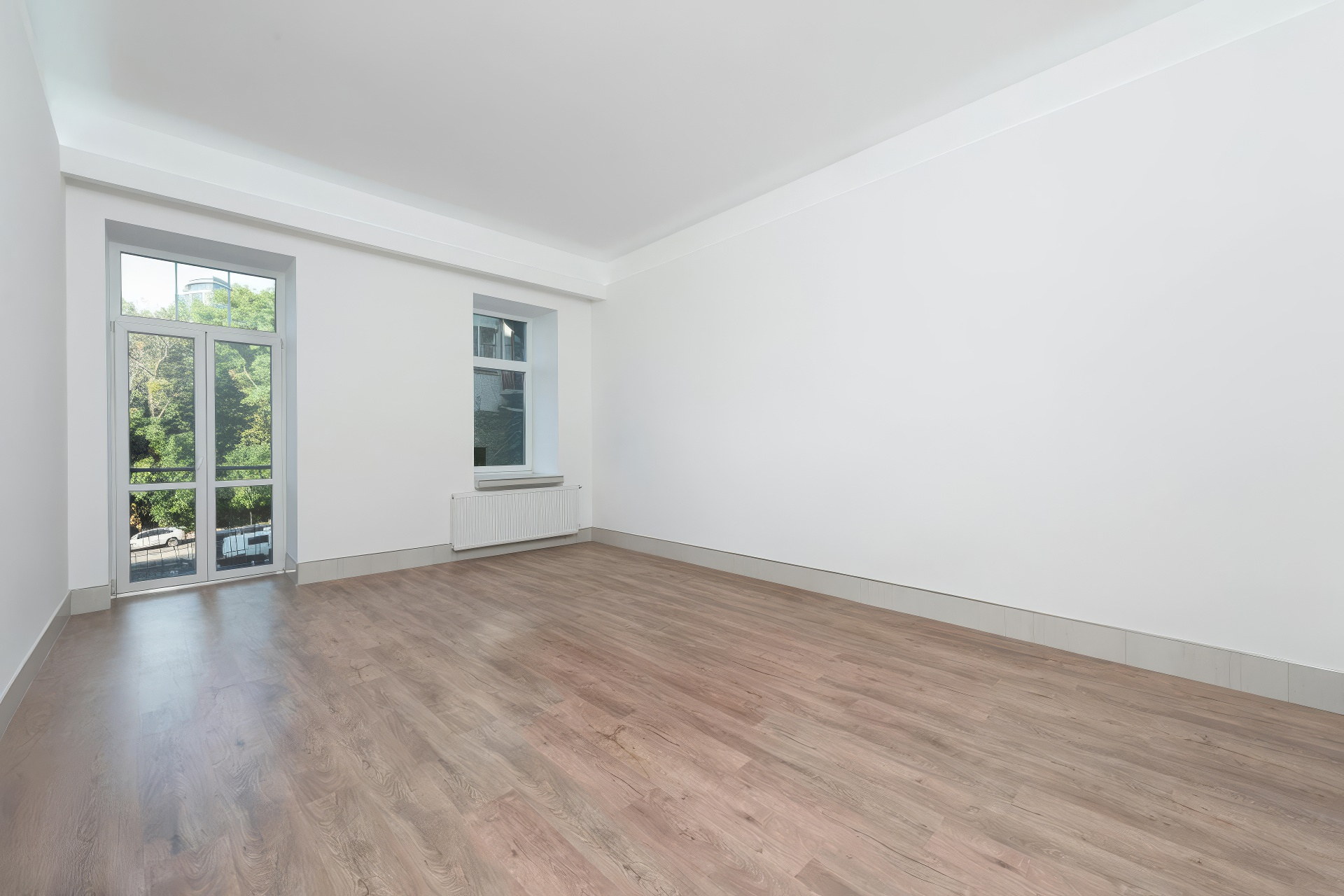
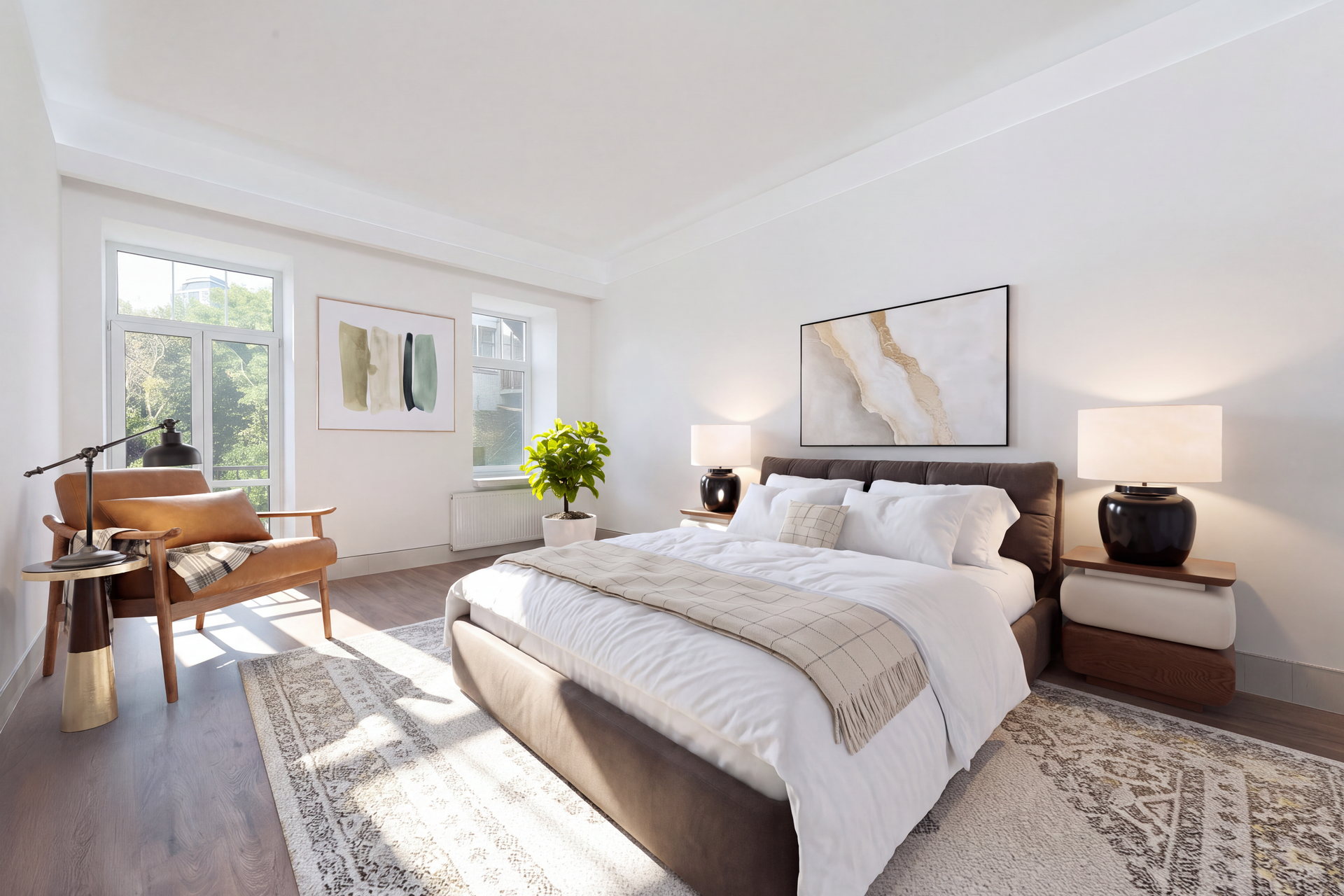
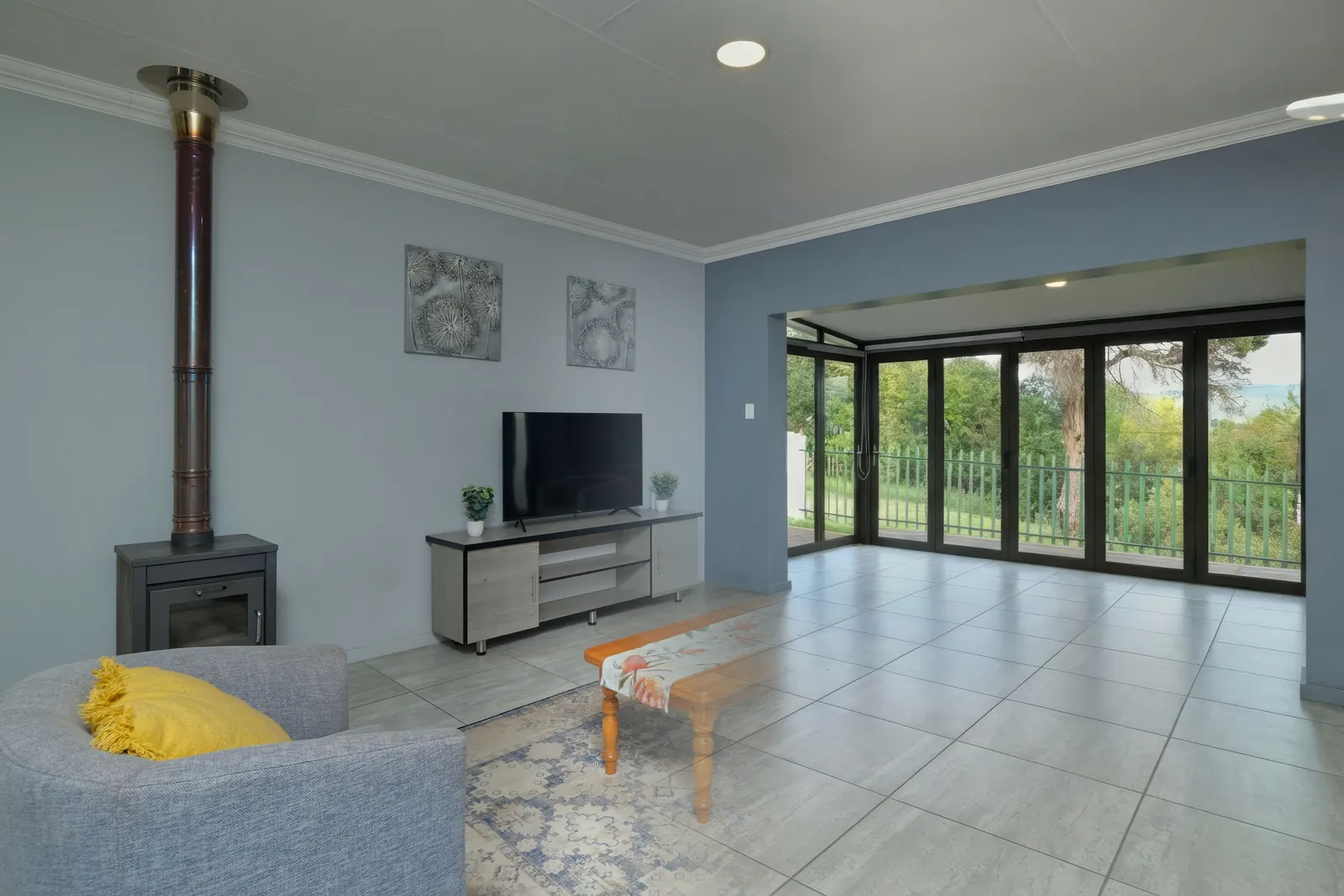
Staged in Apply Design
Most of these will not appear on a pricing page, and you only notice them once you are a few listings in. Before you commit to a tool, run one of your own photos through it and work through this list.
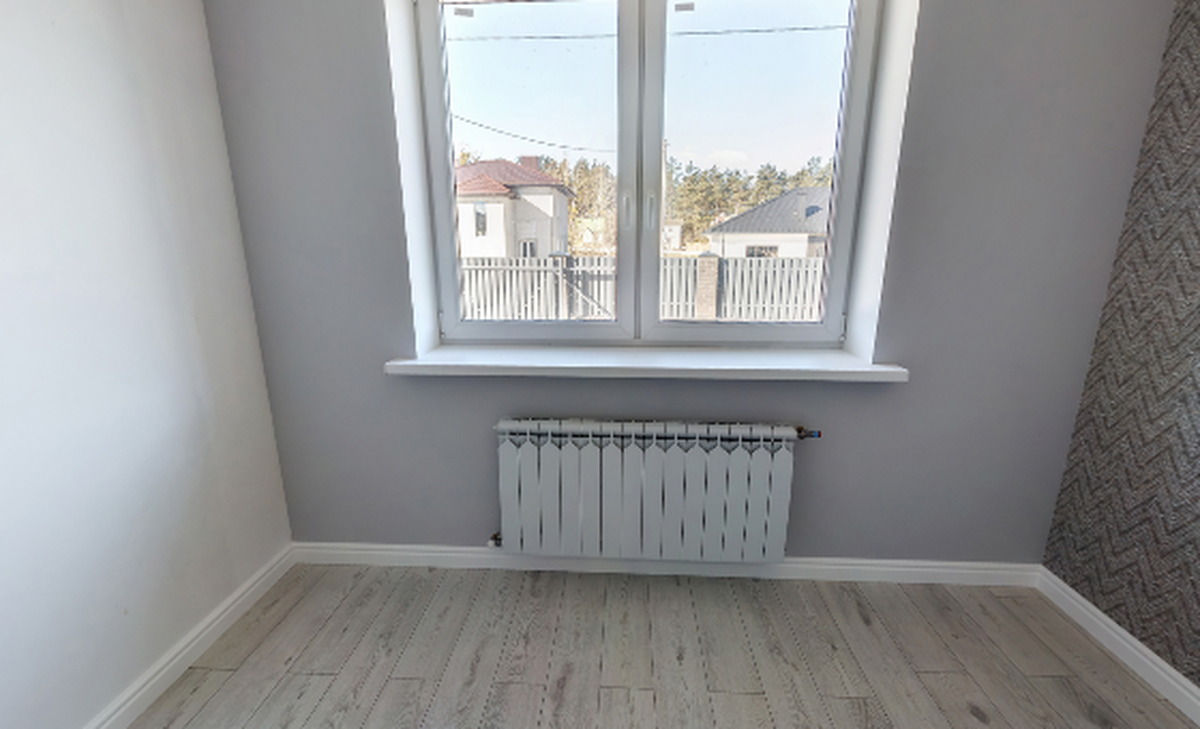
Click any photo to see the room before staging.
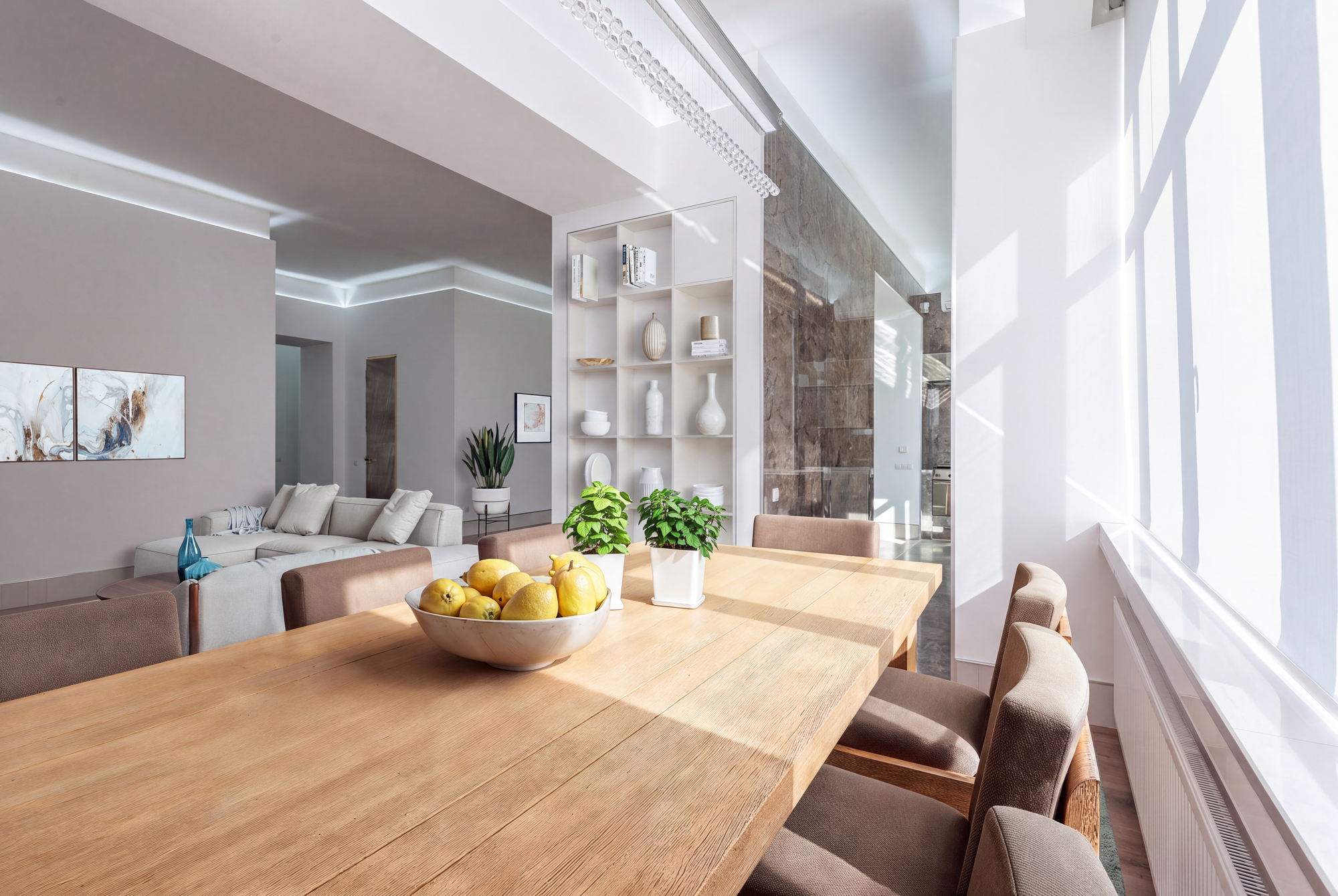
Staged in Apply Design
The price difference between these options is large enough that it decides which listings get staged at all. Physical furniture is usually reserved for higher-value properties. Software staging is affordable enough to use on every room of every listing, and that is where most of the return comes from.
| Approach | What it costs | How long it takes | The trade-off |
|---|---|---|---|
| Physical staging | Hundreds to thousands of dollars per property, per month | Days to schedule | Real furniture that buyers can see and sit on. The price limits it to higher-value listings. |
| Done-for-you digital staging | $24 a photo, plus $4–$8 for item removal | Up to 48 hrsHuman editors in a queue | Nothing for you to do. Every change is a new request and another wait. |
| Self-serve AI staging | Under $1 to about $10 a photo, per image or through a monthly quota | Seconds to minutes | Affordable enough to stage every room rather than only the main photo. Quality and control vary considerably between tools. |
It is worth keeping the cost in proportion. The main listing photo is the first thing a buyer sees, and it largely decides whether they scroll past or book a viewing. The difference between a $7 photo and a $24 photo matters far less than the difference between a staged photo and an empty room.
Headline prices are difficult to compare, because these tools sell different things. One charges per image, one sells a monthly photo quota, one sells credits, and one charges per human-edited photo. The table below translates all of that into the questions that decide what a listing actually costs you.
| Apply Design | Virtual Staging AI | REimagineHome | BoxBrownie | |
|---|---|---|---|---|
| How you pay | Per image, in coins. No subscription. | Monthly plan with a photo quota. | Monthly plan with credits. | Per image. No subscription. |
| What it costs | From $7 a coin at 20+ volume, $8 at 10–19, about $10 below that. Staging a photo is 1.5 coins, a 360° panorama 2.5. | $25/mo for 6 photos ($4.17 each) up to $139/mo for 150 ($0.93 each). Annual billing drops it to $16–$79/mo, or $2.67 down to $0.53 a photo. | $19/mo for 30 credits ($0.63 each) up to $119/mo for 900 ($0.13 each). One generation is one credit; two if it visualises real products. | $24 a photo. 360° staging is $48 an image. |
| Furniture removal | IncludedSame upload, no separate fee. | IncludedListed on every plan. | Not listed on the pricing page. It works in practice and comes out of the same credits. | Add-on$8 standard, or $4 for one or two small items. |
| Changing the result | A drag-and-drop editor. Move, swap or restyle individual pieces yourself, free and unlimited, and you get back exactly what you placed. Staging the room from scratch again costs coins. | Unlimited re-renders per uploaded photo. The quota counts uploads, not renders, so you can try different rooms and styles on one photo at no extra cost. Each is a fresh generation, not an edit. | A new generation costs a credit. Editing step by step without starting over is on Pro ($36/mo) and above; the $19 plan does not have it. | Unlimited, through the editor queue. Every change is a request to a person and another wait. |
| Turnaround | MinutesAuto Stage returns a finished photo. | ~10 secondsTheir own figure. | Standard on Essential, faster on Pro and above. | Up to 48 hrsHuman editors. |
| 360° panoramas | Yes, 2.5 coins an image. | Not listed. | Not listed. | Yes, $48 an image. |
| Same furniture across angles | Yes. One design carried through every photo of the room. | Not listed. | Batch listing processing on Pro and above; per-room consistency not listed. | Not listed. |
| Free trial | First photo free, no card. | Not listed on the pricing page. | 5 free designs, no card. | None. |
| Built for | Real estate listings. | Real estate listings. | Design and renovation decisions, with listings as one use case. | Done-for-you real estate media. |
Scroll the table sideways to see every column →
Figures taken from each vendor’s public pricing page on 16 September 2026: virtualstagingai.app, reimaginehome.ai and boxbrownie.com. Pricing here changes often, so check before you quote a client.
A subscription is cheaper per image. If you stage a high volume every month, Virtual Staging AI or REimagineHome will cost you less per photo than paying per image does. That is a real advantage and worth saying plainly.
But you also pay for the months you do not use it. Listing work comes in waves. A plan sized for a busy month is wasted in a quiet one, and a plan sized for a quiet month runs out when you are busy. Paying per image costs you nothing in the months you do not stage.
“Unlimited” means two different things here. On Virtual Staging AI it means unlimited re-generations, which is genuinely useful: you can keep trying until a result works. On Apply Design it means unlimited hands-on edits, which is a different promise. You are not generating a new image, you are adjusting the one you already have. A re-generation can change something a client has already approved. An edit cannot.
Check furniture removal against the listings you actually take on. If most of your properties are occupied, a removal fee applies to nearly every photo. At BoxBrownie that makes it $24 plus $8, not $24.
Apply Design is self-serve virtual staging built for real estate. Its core feature is Auto Stage: you upload a listing photo, choose a room type and a style, and it furnishes the room for you, photorealistically, in minutes. If the property is occupied, the furniture removal happens within that same upload, so there is no separate order and no extra fee.
Staging a photo costs 1.5 coins and a 360° panorama costs 2.5, and the rate per coin falls as you stage more. Your first photo is free and no card is required.
Your first video and your first website are free too, the same way the first photo is.
Every staged photo opens in the editor, where you can move a chair, swap a rug or restyle a corner. Those edits are free and unlimited, and they give you back exactly what you placed. Staging the room from scratch again counts as a new generation and costs coins. In practice that means fine-tuning a result you mostly like costs nothing, while a genuinely different look costs the same as it would on any other tool.
Terraces, decks and gardens sell a property just as hard as the living room, and they are usually photographed bare. Exteriors go through the same upload as any other room.
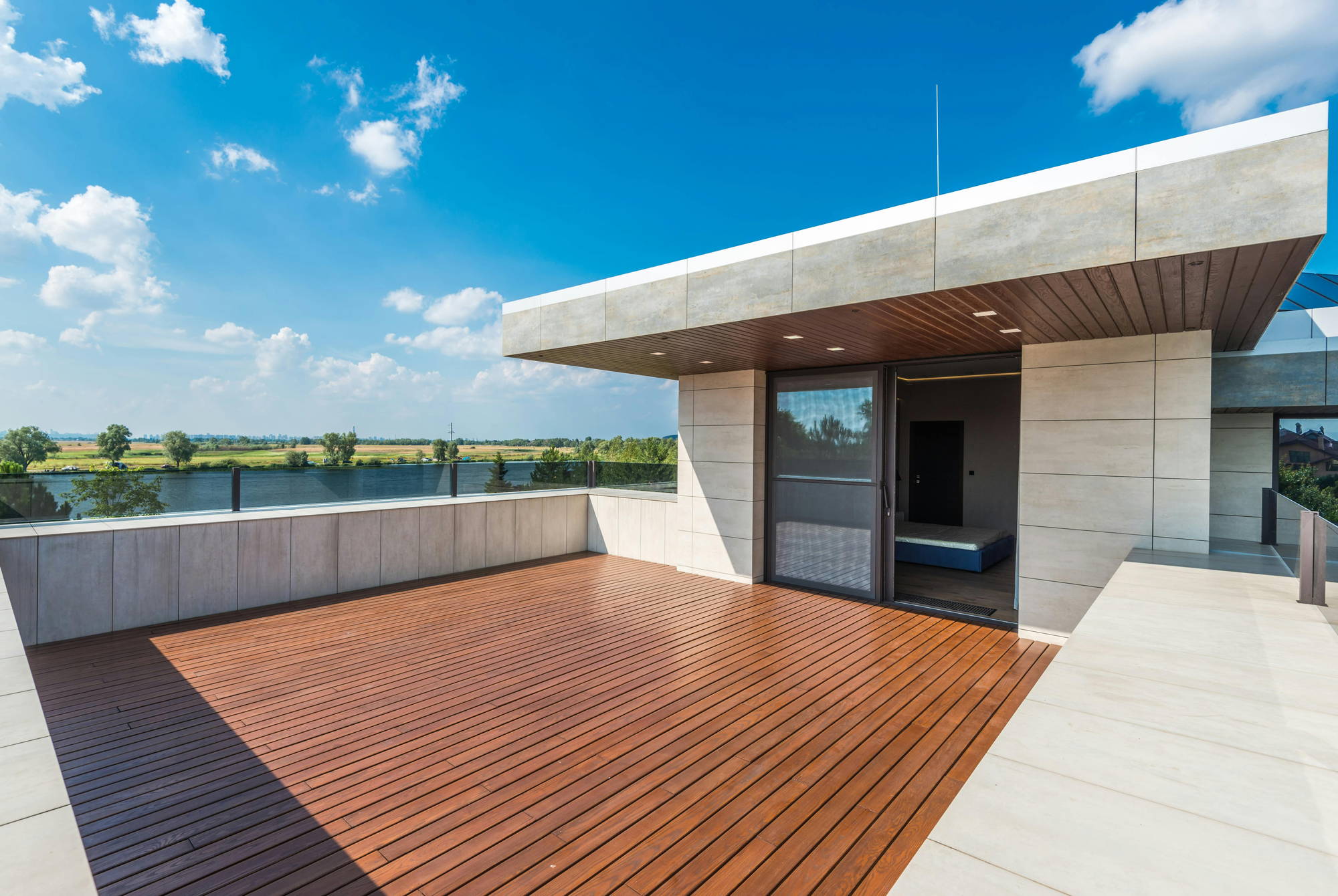
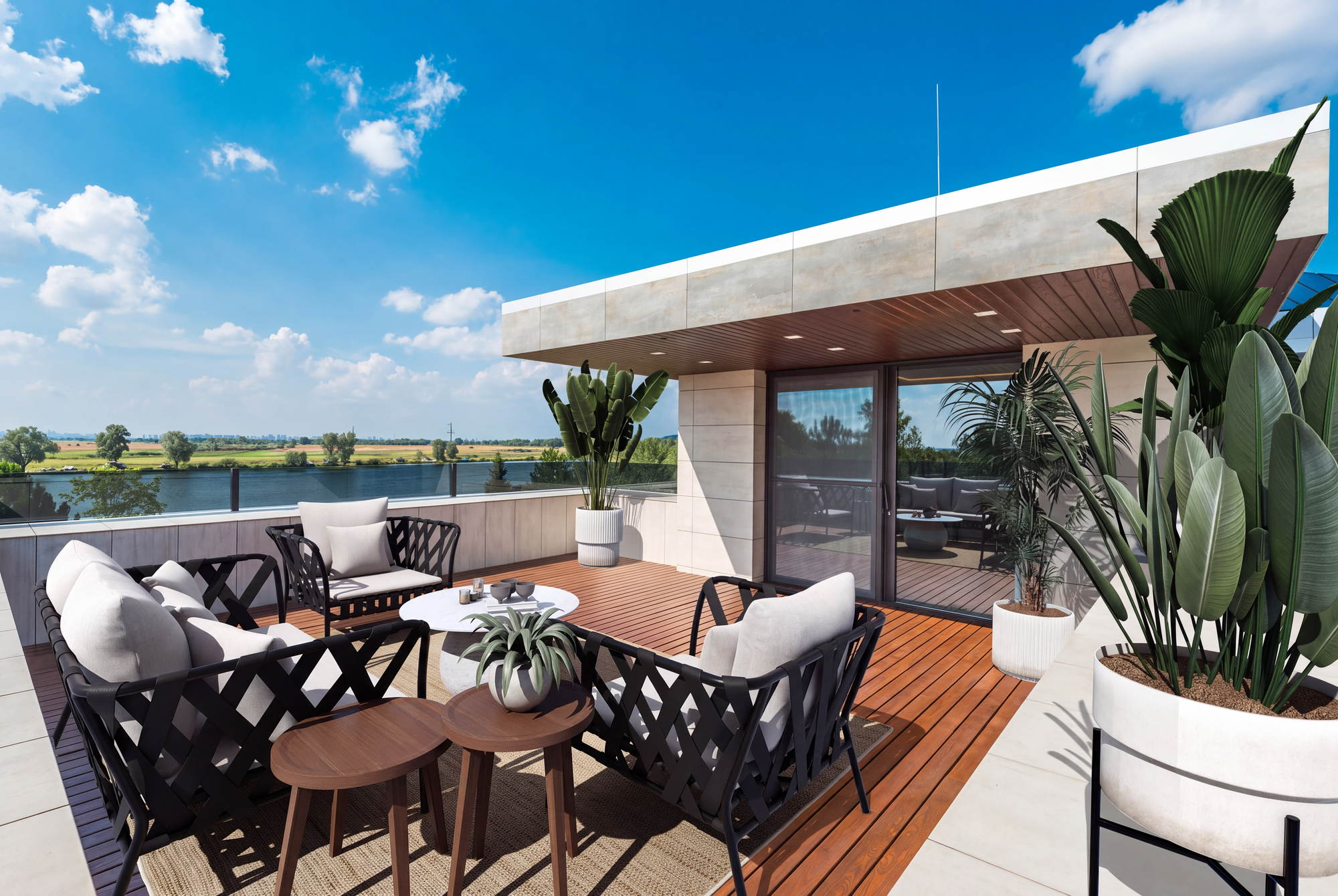
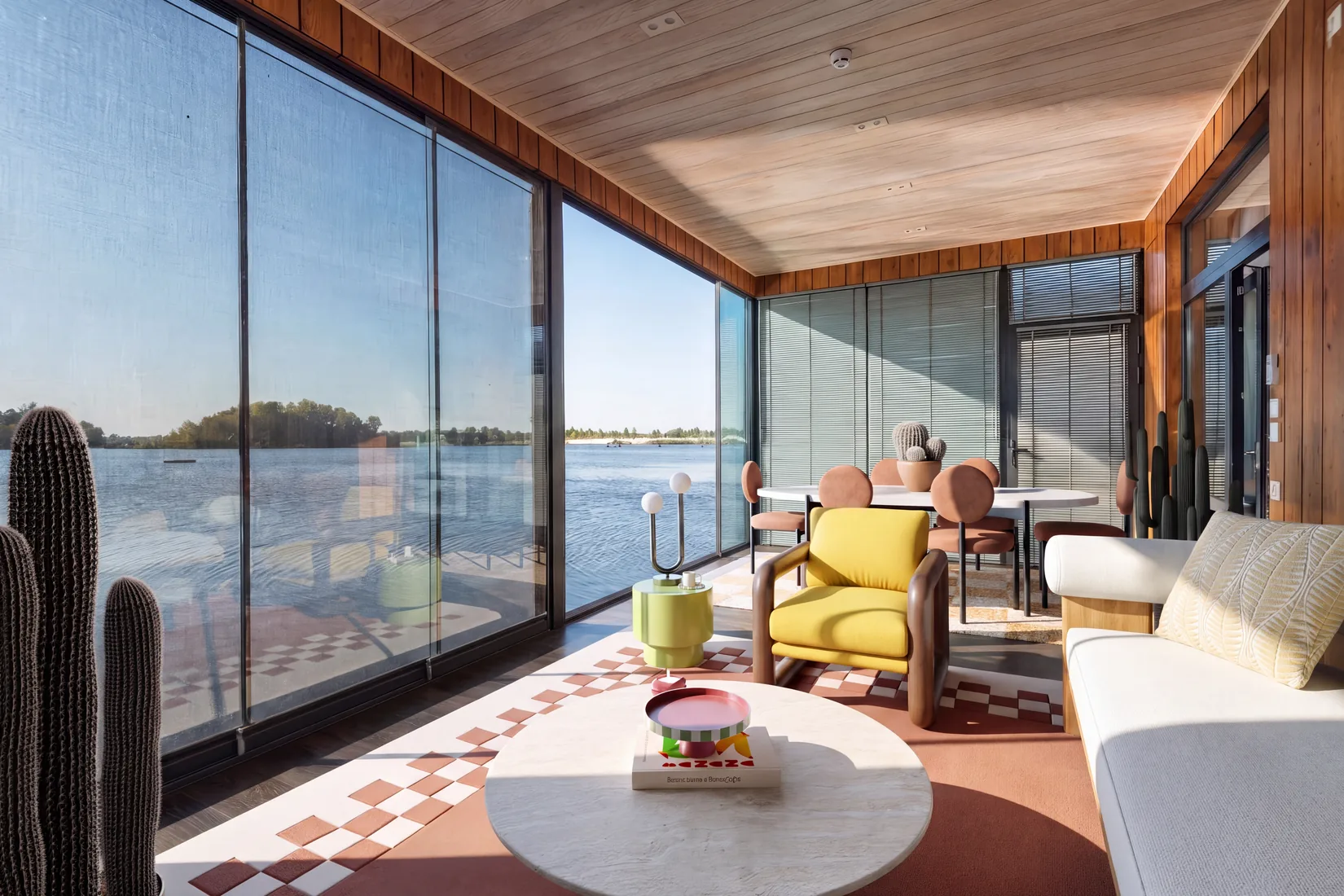
Staged in Apply Design
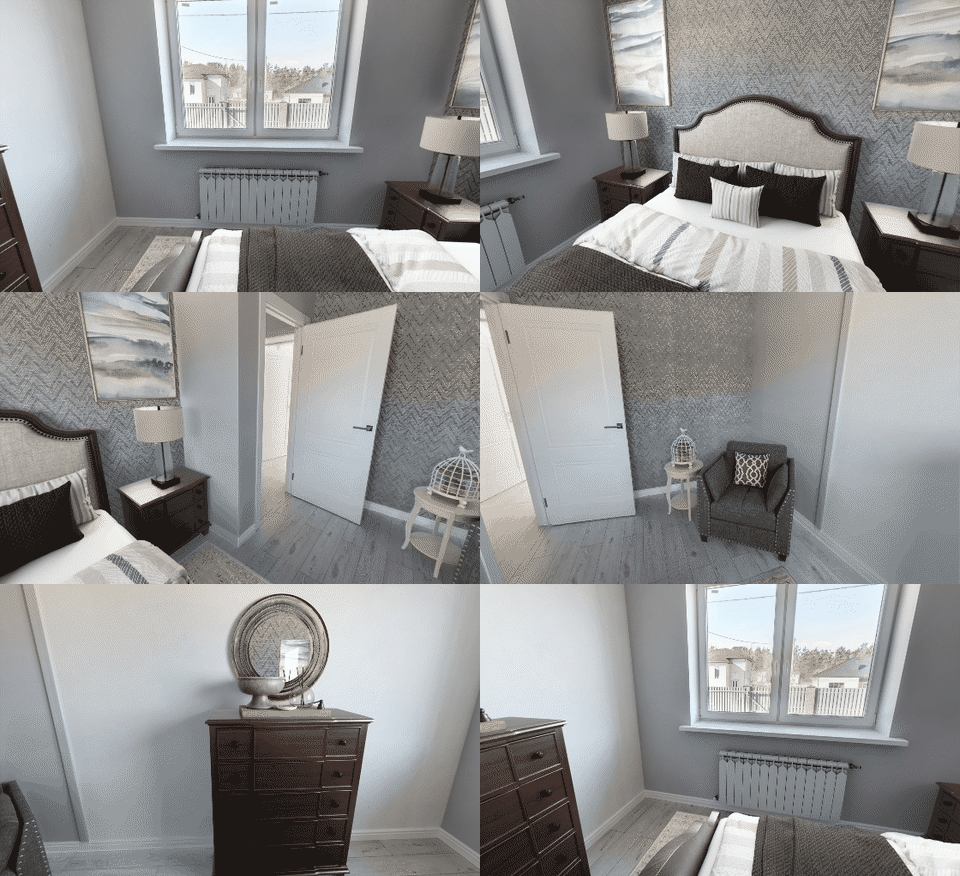
Most tools stage flat photos only. A panorama is a harder problem, because the furniture has to hold up through a full turn of the room rather than from a single camera position.
Staged in Apply Design
Agents and photographers stage 10,000+ properties a month with Apply Design, including teams at Keller Williams, RE/MAX, Compass and Berkshire Hathaway HomeServices.
No single tool covers every job, and it is worth being honest about where another one fits better.
If you reliably stage dozens of photos, and a fixed monthly quota suits how you work, a subscription like Virtual Staging AI works out cheaper per image. Its unlimited re-renders also let you keep trying styles on a single upload. The trade-off is the quota: the same bill in a quiet month, and a ceiling in a busy one.
If you would rather send a folder of photos and receive finished files back without touching an editor, BoxBrownie fits better. You pay more and wait longer, and that is a trade you are making deliberately.
For renovation concepts, or for restyling a room someone still lives in, REimagineHome or Styldod is aimed squarely at that work. Listing compliance is not its concern, and it does not need to be.
For new builds, or anything that starts from a plan rather than a photograph, use Planner 5D or Coohom. They are slower and give you more control, which is the right call when the room does not exist yet.
They are tools that generate interior visuals automatically rather than by hand. The term covers four different products: virtual staging for listing photos, AI room redesign for restyling spaces people already live in, CAD-based 3D design software, and consumer decorating apps. They use a similar technique, but they are built for different jobs.
Virtual staging adds furniture to a property photo and leaves the room itself untouched, so the image is still an accurate record of the space. AI redesign changes how the room looks, including finishes and layout, to show a client what it could become. In short, staging sells the property as it is, and redesign proposes changing it.
For listing photos, a virtual staging tool. Agents publishing to the MLS need three things: images that keep the real room intact, furniture removal for occupied properties, and a turnaround that fits a listing schedule. Redesign and CAD tools are built for design work and are not set up for any of those.
It depends on how you prefer to pay and how much control you want. Subscriptions such as Virtual Staging AI (from $25 a month for 6 photos, or $16 billed annually) and REimagineHome (from $19 a month for 30 credits) cost less per image at volume, but you pay the same in a quiet month. Pay-per-image tools such as Apply Design cost nothing in the months you do not stage. Its Auto Stage feature furnishes a room in one click, furniture removal is part of the same upload, and you adjust the result in a drag-and-drop editor rather than generating it again. Done-for-you services such as BoxBrownie charge $24 per photo plus $4 to $8 for removal and take up to 48 hours, in exchange for you doing none of the work. The table above sets all four side by side.
Yes, and it happens in two steps: the existing furniture is removed, then the empty room is staged. It is worth checking how each tool prices this. Some charge a separate fee per photo and some include it in the same upload. Occupied rooms make up most listings, so this affects your real cost more than the headline price does.
Good results are difficult to tell apart from photographed furniture at listing size. Weaker results give themselves away in the same few ways: shadows falling in the wrong direction, furniture floating slightly above the floor, warped perspective on rugs and tabletops, and reflections that do not match the windows. Judge a tool on one of your own photos rather than on its sample gallery, which was picked to flatter it.
No. Staging and redesign tools take a photograph and return a photograph, so they produce neither a floor plan nor an editable 3D model. For those you need CAD-based software, where you build the space first and render it afterwards. Different workflow, real learning curve.
Physical staging runs into hundreds or thousands of dollars per property per month and takes days to arrange. Self-serve AI staging costs under $1 to about $10 per photo and comes back in seconds or minutes. Done-for-you digital staging with human editors is $24 per photo, plus $4 to $8 for furniture removal. Which is why software staging can go on every room of every listing rather than only the expensive ones.
Free tiers are common, and they are usually limited by watermarks, low resolution or a small number of generations. They are useful for judging quality before you pay. For a photo you are actually going to publish, you will generally need a paid tier to get an unwatermarked file at a usable size. Apply Design stages your first photo free with no card, and your first property video and first property website are free too.
Rentals work exactly like sale listings, disclosure included. Commercial spaces such as offices and retail units are supported by fewer tools, and the results tend to be weaker, because most furniture libraries are built around homes. Test on your own space before you promise it to a client.